Need help?
Do you have a question about the Scytek electronic A15 and is the answer not in the manual?
Two-way pager upgrade kit for enhanced range and system functionality.
Smartphone upgrade solution offering remote control, tracking, and alerts.
Details the operation of buttons 1 through 5 for Page 1 of the transmitter.
Details the operation of buttons 1 through 5 for Page 2 of the transmitter.
Instructions for replacing the battery in the LCD remote transmitter.
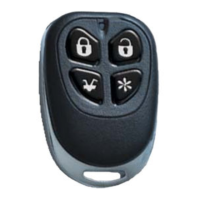
Procedure for programming or replacing one-way transmitters.
Procedure for programming or replacing 2-way LCD transmitters.
Details on battery replacement for the one-way remote transmitter.
Steps to arm the system and conditions that trigger the alarm.
Steps to disarm the system and indications upon disarming.
Explains LED flash codes indicating tampering or system triggers.
How to use the system with or without audible chirp confirmations.
Automatic arming process when the ignition is off and doors are closed.
How to activate the alarm remotely for emergency situations.
Procedure to disarm the system if the transmitter is lost or inoperable.
Details on setting and using a coded override for enhanced security.
Steps to enter the system programming mode using the valet switch.
Procedure to reset all programmable system options to factory defaults.
Overview of customizable system features and their settings.
Schematics for dome light activation, horn honk, and starter defeat circuits.
Diagrams for connecting basic and two-stage door lock systems.
Detailed diagrams for two-stage door lock operation.
 General
| Brand | Scytek electronic |
|---|---|
| Model | A15 |
| Category | Remote Starter |
| Language | English |


 To Next Page