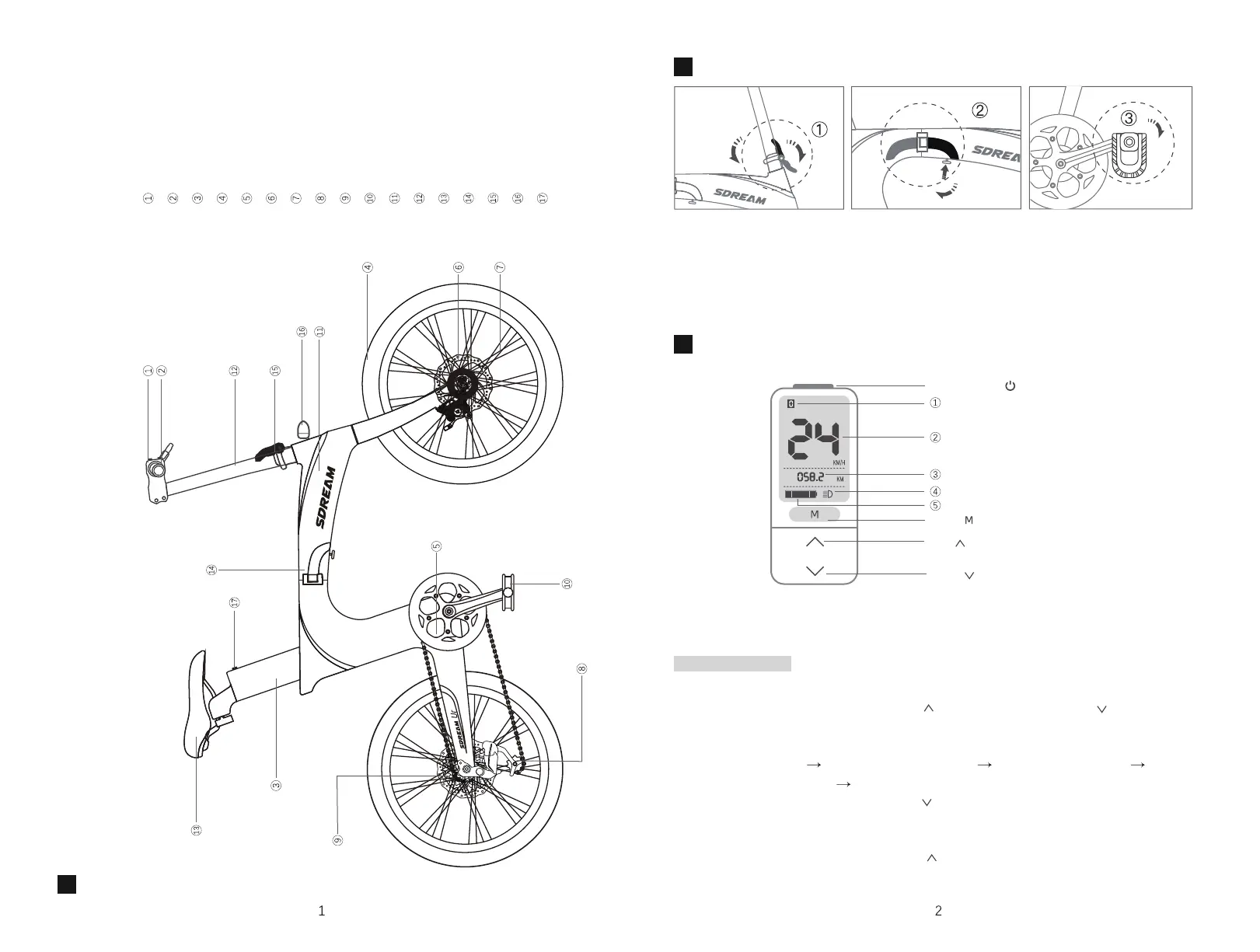
Overview of the e-bike and components
Operating the folding mechanism
Display
Shifter
Removable Li-ion Battery
Tires
Rear Suspension
Disc Brake
Spoke Wheel
Derailleur
Motor
Foldable Pedals
Frame
Adjustable Stem
Saddle
Frame Hinge
Stem Hinge
Headlight
Battery Button
Operating the display
Power-On/Off
Electric assist level and walking mode
Current speed and unit
Total trip distance and unit
Headlight indicator
Battery power indicator
Mode
Plus
Minus
Loosen the clamp by the handlebar hinge and fold the handlebar.
Hold the knob under the frame, loosen the clamp by the frame hinge, and fold the
bike frame in half.
Press the pedals inward and then push them up 90° to fold.
Before turning on the display, please turn on the battery power by pressing the button
on the battery below the saddle.
Turn the display on/off: press Power-On/Off key for 2 seconds
Switch electric assist level: press Plus ( ) key to increase or Minus ( ) key to
decrease
Switch display mode: press Mode (M) key to cycle display modes as follows: total
trip distance (TRIP) total trip time (TRIP TIME) average speed (AVG)
maximum speed (MAX) odometer (ODO)
Walking mode: press and hold Minus ( ) key. Release to exit walking mode. (Note:
walking mode activates the bike’s motor at a steady 3.7mph (6km/h) so that you
can walk alongside it)
Turn on the headlight: long press Plus ( ) key for 1 second. Long press again to turn
the headlight off.
1.
2.
3.
4.
5.
1.
2.
3.
Using the display



 To Next Page