45
once will change the value to 147.By holding down these buttons for more than 2 seconds, values may
be changed quickly to the desired figure. Don’t play with these unless you want to change the value. The
VALUES LOCK feature must be selected OFF in order to adjust any values.
Boot up screen:
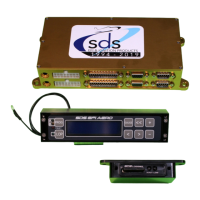
Parameters will appear in the programmer window in the following order, moving right with the > button:
GAUGE 1
GAUGE 2
GAUGE 3
GAUGE 4
GAUGE 5
MAGNET SEEN/NOT SEEN (F only) or TACH 1/0(D only)
SETUP MODE ENTRY
TIME AND DATE
CARD LOGGER STATE
CARD LOGGER RATE
LCD BRIGHTNESS
LCD CONTRAST
GAUGE BUTTON SELECT, GAUGE1 or GAUGE4
LOP FUEL TRIM, 4 windows (Locked feature if not activated)
LOP CONTROL SELECT
LOP MAX MANIFOLD PRESSURE
LOP IGNITION ADVANCE
LOP LEAN FUEL ENABLE or DISABLE
LOP LEAN FUEL AMOUNT %
CRANK IGN RETARD (F only)
FUEL TRIM 4 windows (Spare windows if not activated)
LEAN WARNING
A/C FAST IDLE or NITROUS RETARD (F only, not normally used in aviation applications)
PIN 13 INPUT selects use of aux input on some systems typically this window will not be used for
aviation applications with new additional LOP windows above unless external switch is preferred
O2 TYPE (standard or wideband)
IDLE FUEL AMOUNT (not used on aviation typically)
IDLE TP LOCATION (not used on aviation typically)
RADIATOR FAN ON
RADIATOR FAN OFF
FAST IDLE SWITCH (not used in aviation applications)
RPM SWITCH ON AT (usually used on Honda VTEC engines)
FUELCUT BELOW TP (not used in aviation applications)
FUELCUT/RPM
FUELCUT/MANPRESS
VALUES LOCK ON/OFF
CLOSED LOOP ENABLE SELECTIONS
CL LO RPM LIMIT
CL HI RPM LIMIT
CL MAP LO
CL MAP HI
LO OCTANE MIN RPM
SPARE 3
LO OCTANE SWITCH RETARD


 To Next Page
 Loading...