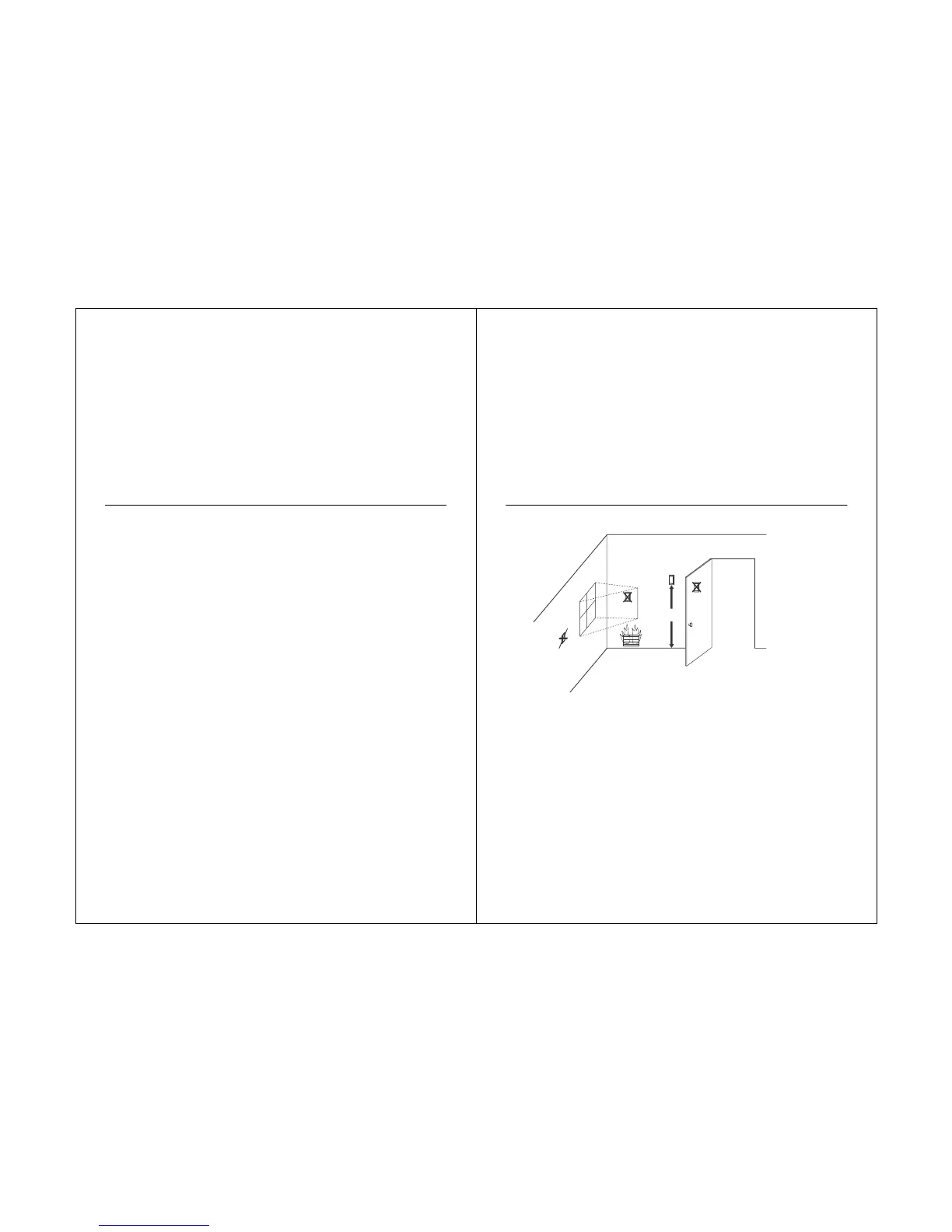
1. Choose a location (see Fig. 22) for mounting the sensor on an inside wall about 5 ft (1.5m)
above the floor.
2. Be sure wire distance between sensor and thermostat is less than 19.6 ft (6m).
3. Make sure there is good air circulation at average temperature at the chosen location.
void the following locations because they can introduce errors in sensor
measurements. See Fig. 22.
Hot areas caused by:
(a) Concealed pipes or ducts.
(b) Drafts from fireplaces or other heat sources.
(c) Convection or radiant heat from the sun or electrical equipment.
Cold areas caused by:
(a) Concealed pipes or ducts.
(b) Drafts from windows and doors.
Unheated areas on the other side of the wall location.
Dead air areas:
(a) Behind doors, furniture and curtains. (b) In corners and alcoves.
4. Mark the area on the wall selected for mounting the Sensor or junction box.
5. Run wire cable to a hole at the selected wall location. Pull approximately three inches of
wire through the opening. Color-coded, 18-gauge thermostat wire is recommended.



 To Next Page