rammable Thermostat
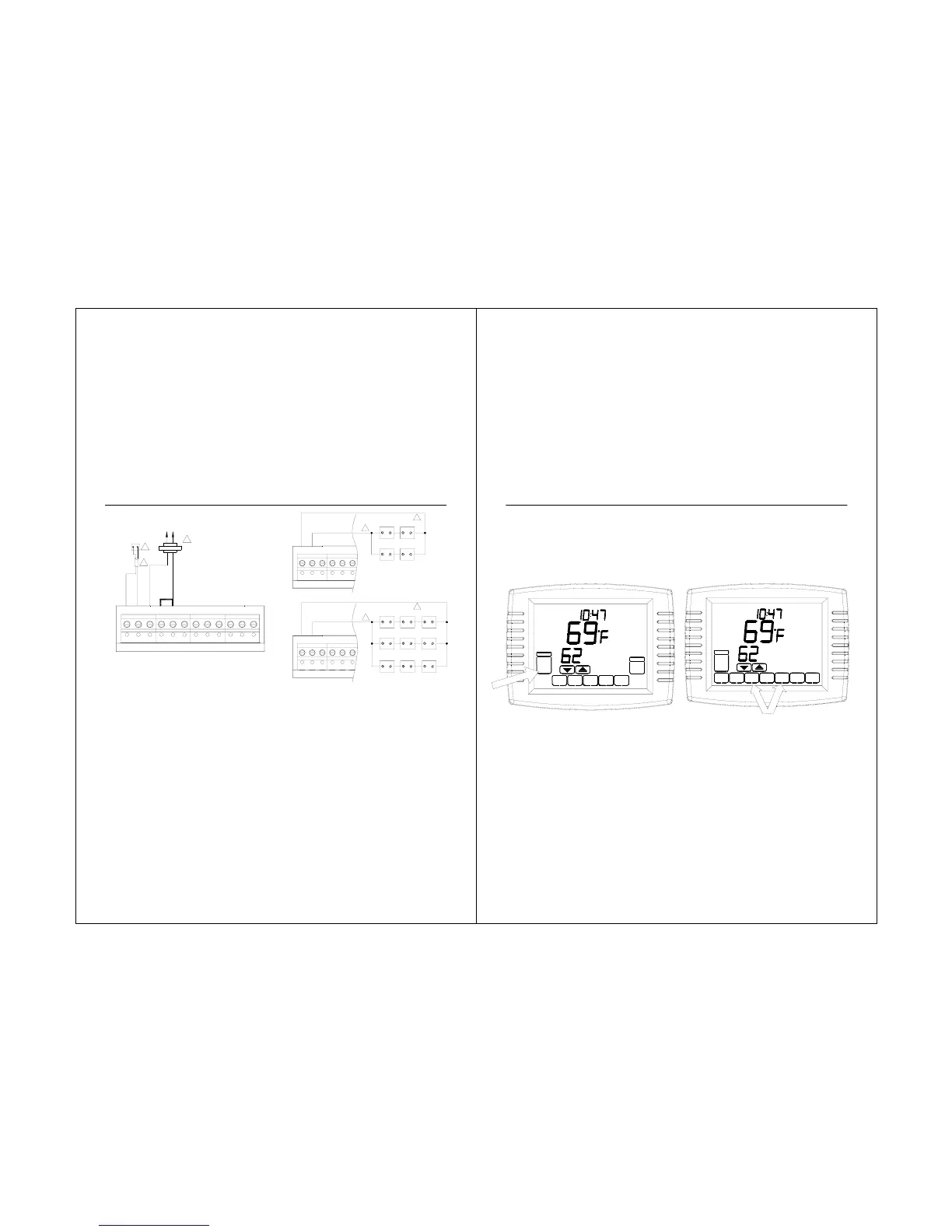
Fig. 23. Wiring a single Indoor Sensor. Fig. 24. Wiring Multiple Sensors.
42
1. POWER SUPPLY. PROVIDE DISCONNECT MEANS AND
OVERLOAD PROTECTION AS REQUIRED.
2. IF MORE THAN ONE REMOTE SENSOR IS REQUIRED, REFER TO
FIGURE 24.
3. WIRES MUST HAVE A CABLE SEPARATE FROM THE
THERMOSTAT CABLE.
1. SENSORS MUST BE ARRANGED IN THIS CONFIGURATION TO
OPERATE CORRECTLY.
2. WIRES MUST HAVE A CABLE SEPARATE FROM THERMOSTAT
CABLE.
R
C
1
2
435-0013
3
S1 S2 C R RC W Y G
S1 S2 C R RC
435-0013
1
2
S1 S2 C R RC
1
2
435-0013
435-0013 435-0013
435-0013 435-0013 435-0013
435-0013 435-0013 435-0013
435-0013 435-0013 435-0013
STS11 Touchscreen Pro
Setup:
1. Press and release the SYSTEM Key.
2. Press and hold the two blank keys on
either side of the center blank key for
approximately five seconds until screen
changes.
43
Room
Set To
SYSTEM
TUE
AM
COOL
DONE
CANCEL
OFF
HEAT
Room
Running As SCHED
Set To
SYSTEM
MORE
SCHED HOLD CLOCK
SCREEN
AUTO
FAN
TUE
AM
AUTO



 To Next Page