EasyManua.ls Logo

Seabreeze STS11 - Wiring

Seabreeze STS11
45 pages
Print Icon
To Next Page IconTo Next Page
To Previous Page IconTo Previous Page
Loading...
STS11 Touchscreen Pro
g
rammable Thermostat
Installin
g
Wallplate
CAUTION
Electrical Hazard.
Can cause electrical shock or equipment damage.
Disconnect power before wiring.
The thermos
t
at can be mounted horizon
t
ally on the wall
1. Position and level the wallplate (for location only).
2. Use a pencil to mark the mounting holes.
3. Remove the wallplate from the wall and, if drywall, drill two holes in the wall, as marked.
For firmer material such as plaster, drill two holes. Gently tap anchors (provided) into the
drilled holes until flush with the wall.
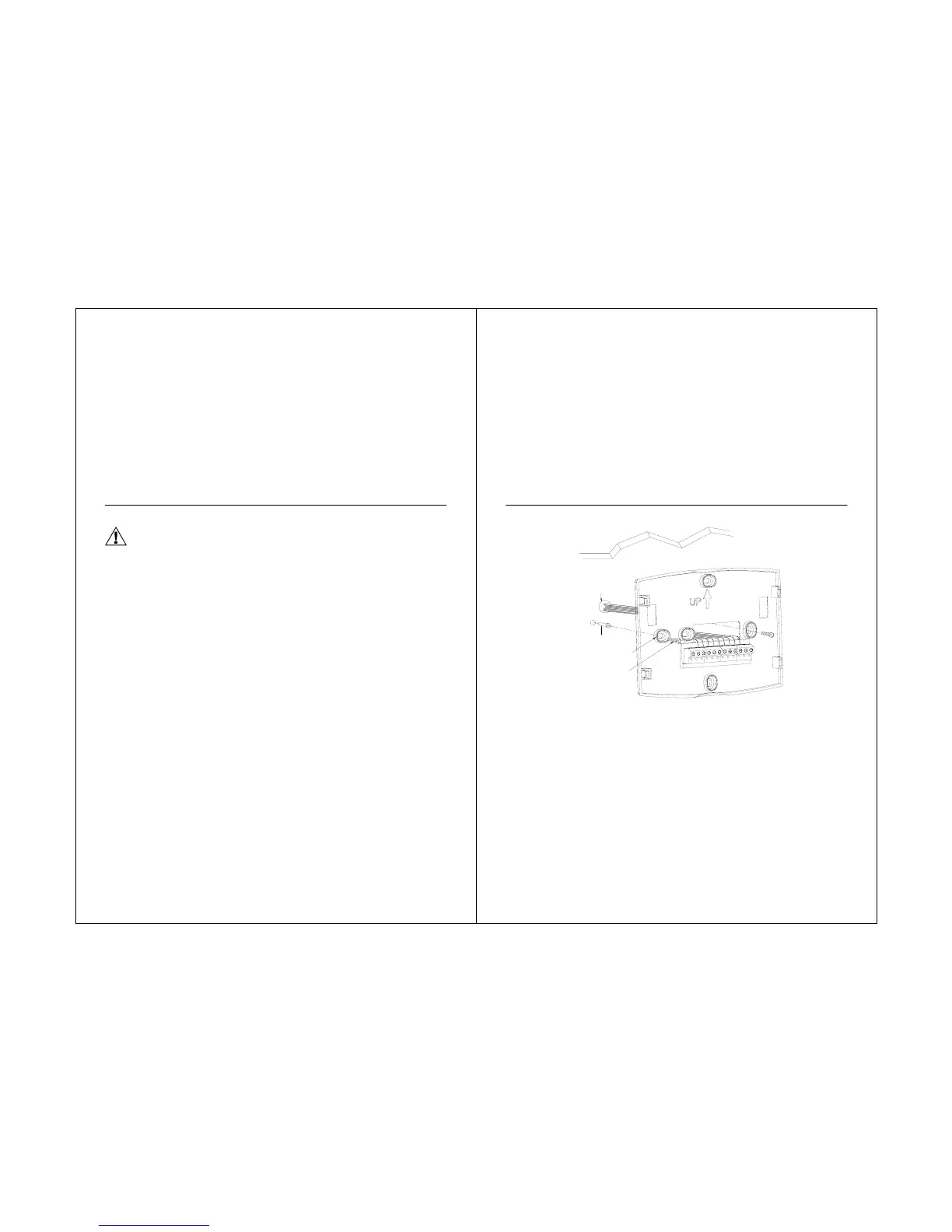
4. Position the wallplate over the holes, pulling wires through the wiring opening. See Fig. 6
5. Insert the mounting screws into the holes and tighten.
16
STS11 Touchscreen Pro

g
rammable Thermostat
Fig. 6. Mounting wallplate.
17
WALL
WIRES THROUGH
WALL AND WIRE
SLOT
WALL ANCHORS
M0UNTING
HOLES(2)
M0UNTING
SCREWS(2)

Related product manuals