EasyManua.ls Logo

Seabreeze STS11 - Page 28

Seabreeze STS11
45 pages
Print Icon
To Next Page IconTo Next Page
To Previous Page IconTo Previous Page
Loading...
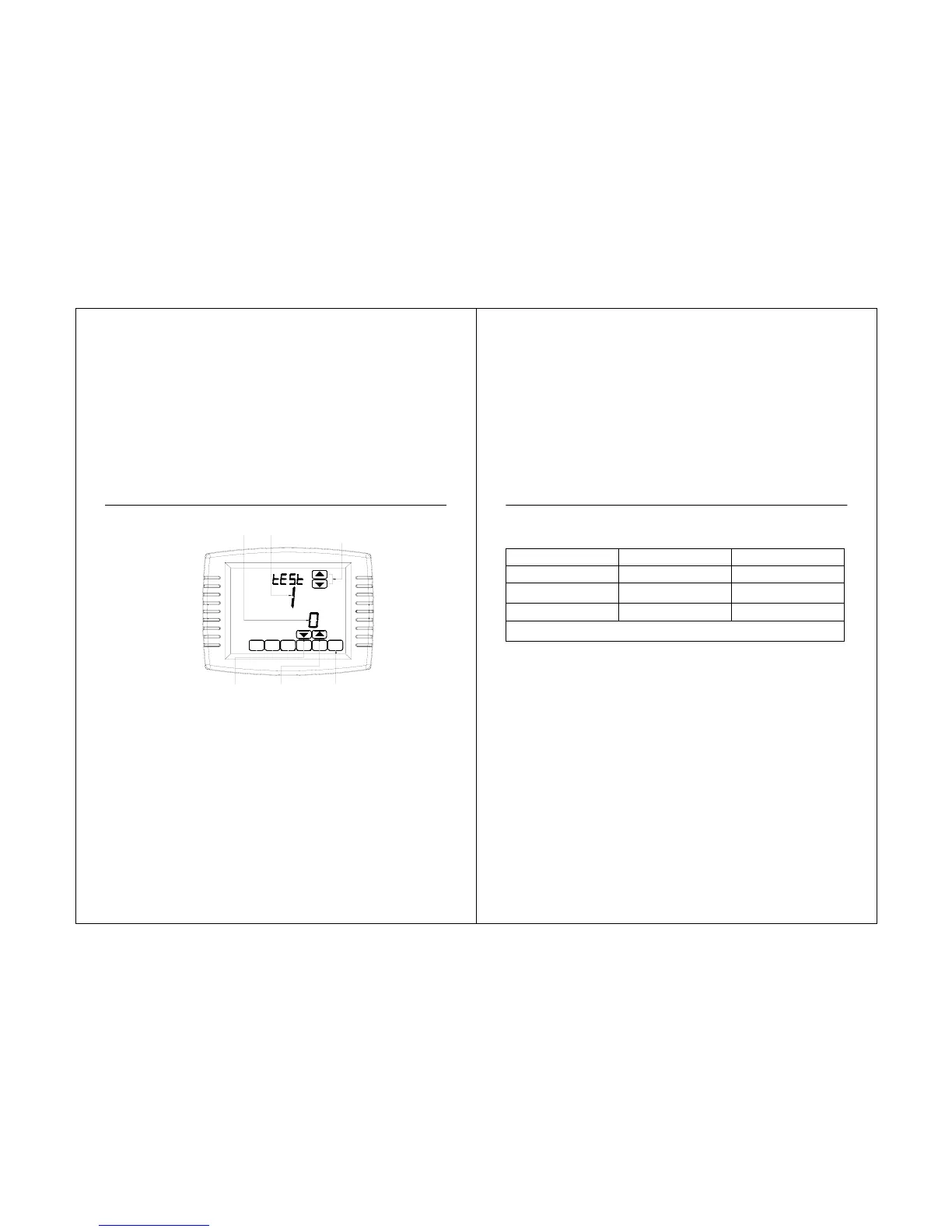
Fig. 25 Review thermostat buttons used during Installer System
T
est.
STS11 Touchscreen Pro
g
rammable Thermostat
54
DONE
DOWN ARROW
TURNS THE
SYSTEM OFF
DONE KEY
EXITS INSTALLER
SYSTEM TEST
UP ARROW
TURNS THE
SYSTEM ON
SYSTEM STAUS
NUMBER
SYSTEM TEST
NUMBER
UP ARROW KEY
ADVANCES TO
NEXT SYSTEM
TEST NUMBER
STS11 Touchscreen Pro
g
rammable Thermostat
Installer
S
y
stem
Tests
Table 4. Installer System Test.
System Test Number Test Type
System Status Number and
Description
Test 1 Cooling System Test
1-Cool stage 1 turn on.
0-Cool is off.
Test 2 Fan System Test
1-Fan turns on.
0-Fan turns off.
Test 3 Heating System Test
1-Heat stage 1 turn on.
0-Heat is off.
Press the Next button to go to the beginning of the Installer Setup or press the Done button to exit the Installer
System Test.
55

Related product manuals