2. Setting up the Seagate Wireless Plus Device Unpacking Your Box
Seagate Wireless Plus User Guide 5
2. Setting up the Seagate Wireless
Plus Device
This chapter explains each step of the installation process in more detail than what is shown
in the Quick Start Guide.
Unpacking Your Box
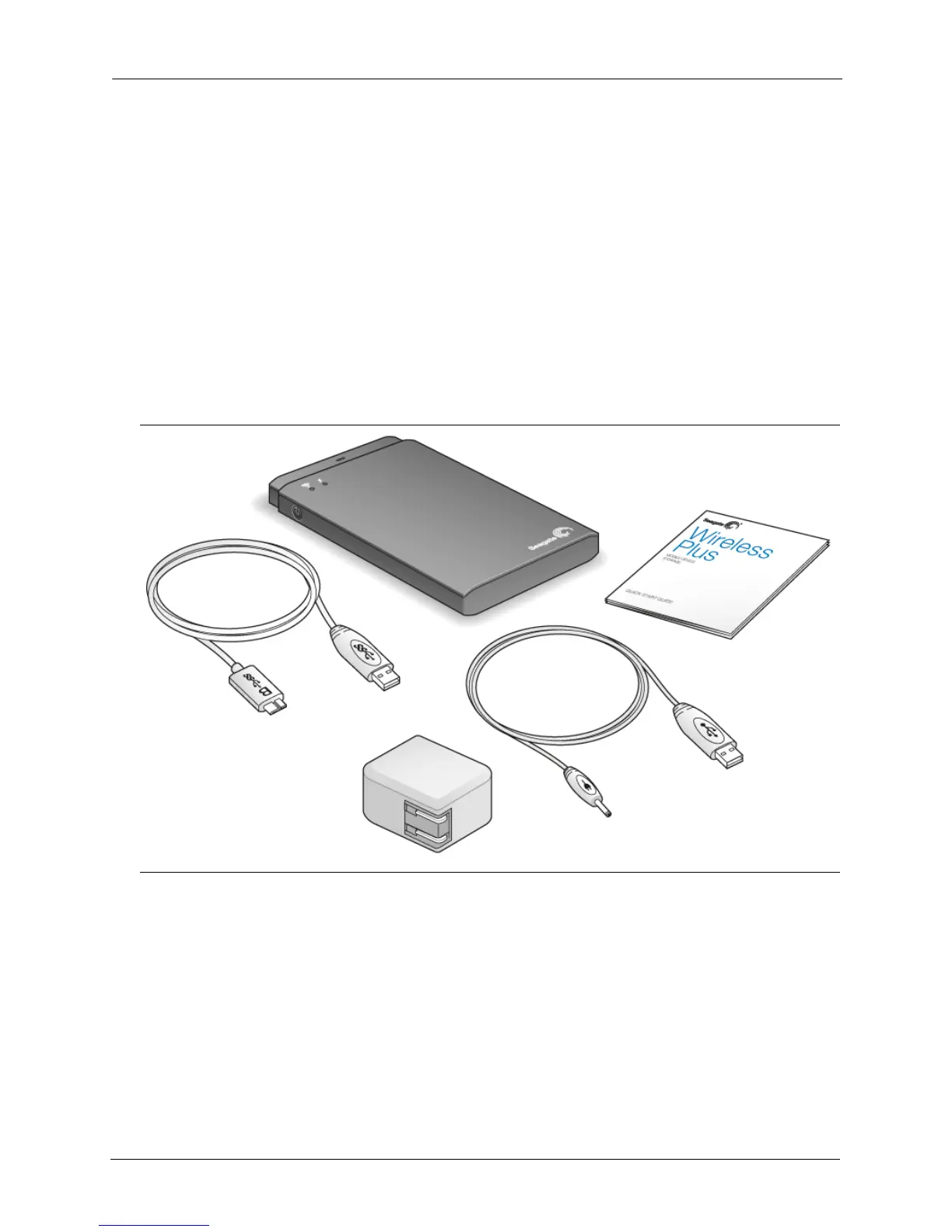
Before you begin to set up your device, unpack the box and ensure you have all of these
items before continuing:
For a detailed description of these components, review “An Overview of Your Seagate
Wireless Plus Device” on page 29.
Step 1: Connecting Your Seagate Wireless Plus Device
to Your Computer
The Seagate Wireless Plus device comes with a USB 3.0 adapter and cable. This USB 3.0
system provides faster transfer speeds when connected to a USB 3.0 port on your computer.
Figure 1: Package Contents
Detachable USB 3.0 Cable
Seagate Wireless Plus Wireless Storage Device
Quick Start Guide
USB to DC Power Cable
USB Wall Adapter






 To Next Page