Backup Plus—Installation and Use
Quick Start: Setting Up Your Backup Plus Portable Drive
IMPORTANT: Don’t format the drive before you use it!
The Seagate Backup Plus Portable Drive is a cross-platform device—it is both Mac and PC compatible.
Upon opening the box, please verify that you have the following items in your possession before you begin:
• Backup Plus Portable Drive
• Detachable USB 3.0 Cable
Assembly
1. Remove all items from the packaging.
2. Connect the Detachable USB 3.0 Cable to the Backup Plus Portable Drive.
3. You can now connect your Backup Plus Portable Drive to your Windows PC or Mac via the USB 3.0
Cable.
Mac users, please note: When you connect your Backup Plus Portable Drive to your Mac, a prompt
will appear on the screen asking you “Do you want to use ‘Backup Plus Portable Drive’ to back up
with Time Machine?”
Because you will be using the Backup Plus Portable Drive primarily to backup and upload media to
various social media sites, we recommend that you choose “Decide Later” or “Don’t Use.”
4. Windows PC users can now skip ahead to page 7. Mac users should continue reading so that we
can guide you through a brief software install so that you can get the most out of your Backup Plus
Portable Drive.
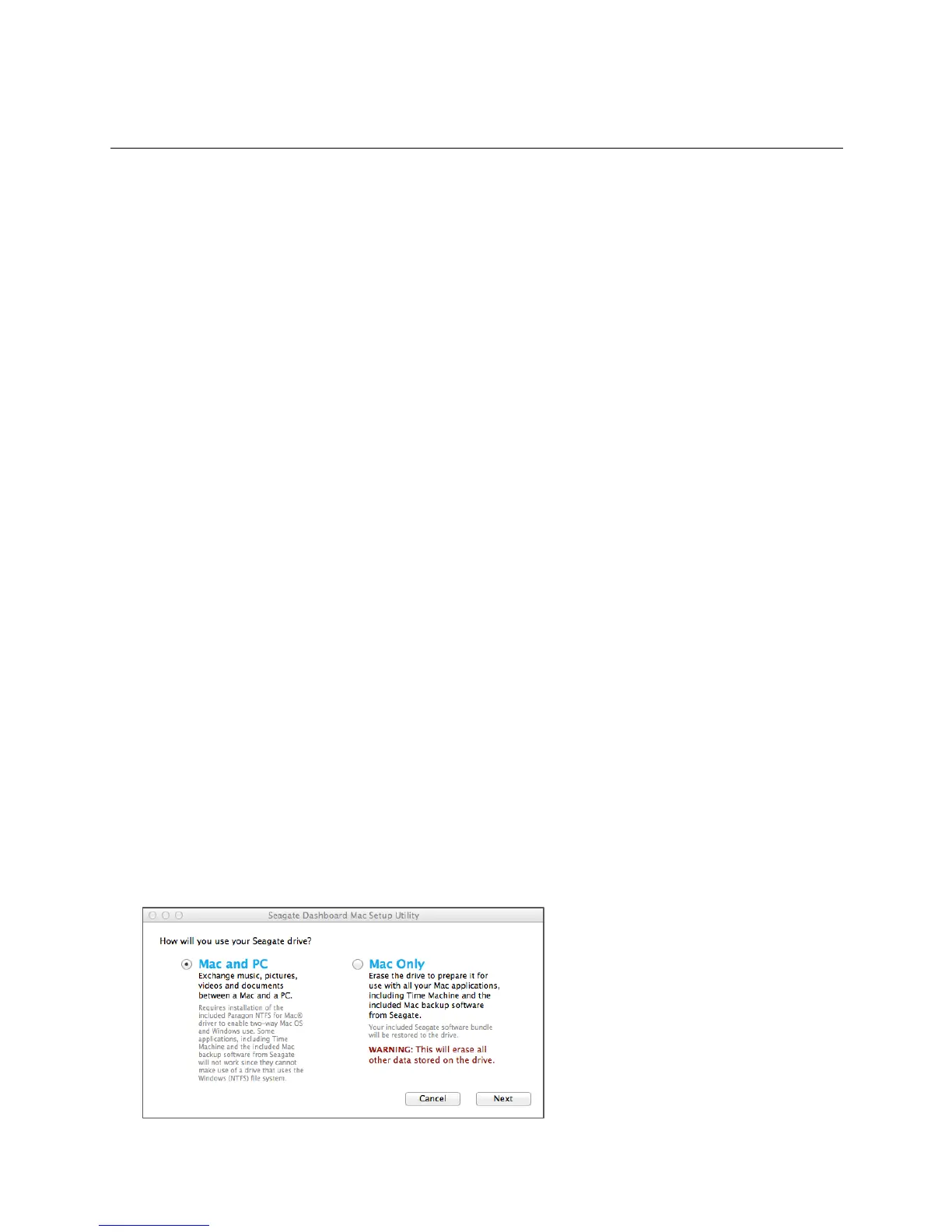
Mac Software Setup
1. When you connect your Backup Plus Portable Drive, you will see a file in the “Seagate Backup Plus
Drive” folder titled “Mac Installer.dmg” Double-click on that file and go through the simple product
registration process.
2. Once that is complete, you will see a prompt titled “Install Seagate Backup Plus”. Keep selecting
“Continue” and later, “Agree” to proceed. You will then see a screen titled “Standard Install on…”
and the name of your local hard drive. Select “Install” to proceed. Please note that if your Mac is
password protected, you will need to enter your password to authorize the installation of the
Seagate software.
3. After the software has been successfully installed, select “Restart” to complete the installation.













 To Next Page