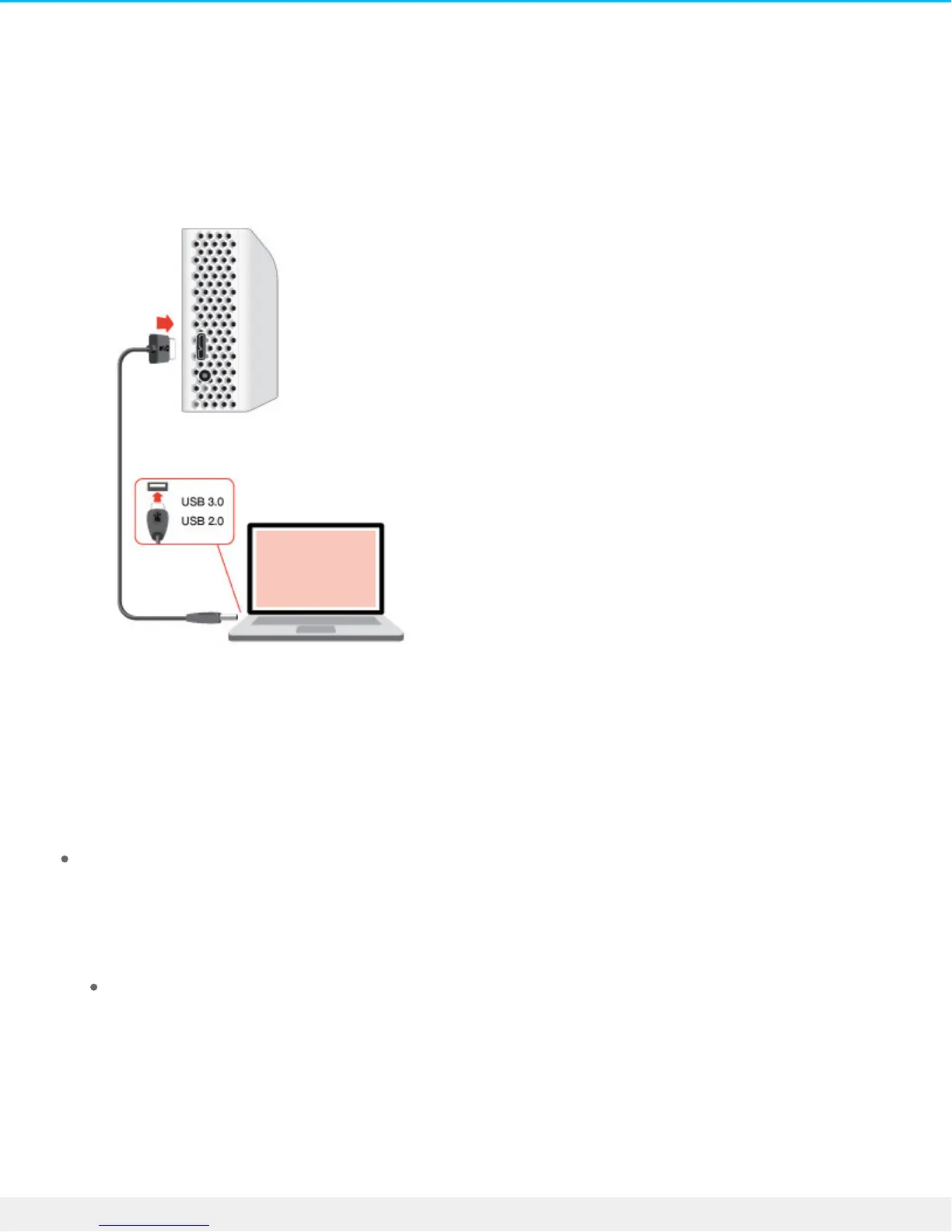
Step 2 – Connect to your computer
Attach the USB Micro-B end of the included USB cable to Backup Plus Hub.
Attach the USB Type A end of the included USB cable to a compatible port on your computer.
Step 3 – Registraon and soware
Register your Backup Plus Hub to receive the latest news regarding your device. You can register your
device and install Seagate software in a few simple steps.
Software included with your Backup Plus Hub:
Dashboard–Backup software for your Windows computers, mobile devices and social media. For
details, see Dashboard.
1. Open the Backup Plus Hub volume in Windows Explorer or the Mac desktop.
2. Launch the installer.
Windows: double click Start_Here_Win













 To Next Page