
 Need help?
Do you have a question about the Seagate Expansion and is the answer not in the manual?
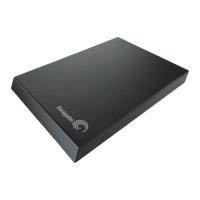
Highlights plug-and-play setup, USB power, automatic recognition, and drag-and-drop file management.
Details fast data transfer via USB 3.0, with backward compatibility for USB 2.0 ports.
Specifications for product, box, master carton, and pallet dimensions, plus quantities.
Outlines the necessary operating systems and USB port requirements for optimal drive performance.
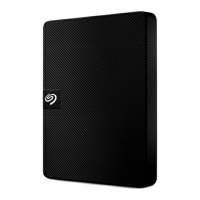
Lists the essential items included within the Seagate Expansion portable drive packaging.
 General
| Type | HDD |
|---|---|
| HDD size | 2.5 \ |
| HDD speed | 5400 RPM |
| HDD capacity | 1000 GB |
| Storage drive buffer size | - MB |
| USB version | 3.2 Gen 1 (3.1 Gen 1) |
| USB connector | Micro-USB B |
| Maximum data transfer rate | 5000 Mbit/s |
| Connectivity technology | Wired |
| USB 3.2 Gen 1 (3.1 Gen 1) ports quantity | 1 |
| Product color | Black |
| Fingerprint reader | No |
| Password protection | - |
| Windows operating systems supported | Windows 7 Home Premium, Windows 7 Home Premium x64, Windows 7 Professional, Windows 7 Professional x64, Windows 7 Starter, Windows 7 Starter x64, Windows 7 Ultimate, Windows 7 Ultimate x64, Windows Vista Business, Windows Vista Business x64, Windows Vista Home Basic, Windows Vista Home Basic x64, Windows Vista Home Premium, Windows Vista Home Premium x64, Windows Vista Ultimate, Windows Vista Ultimate x64, Windows XP Home, Windows XP Home x64, Windows XP Professional, Windows XP Professional x64 |
| Bus powered | USB |
 Weight and Dimensions
| Depth | 141.29 mm |
|---|---|
| Width | 80.01 mm |
| Height | 17.6 mm |
| Weight | 160 g |




 To Next Page