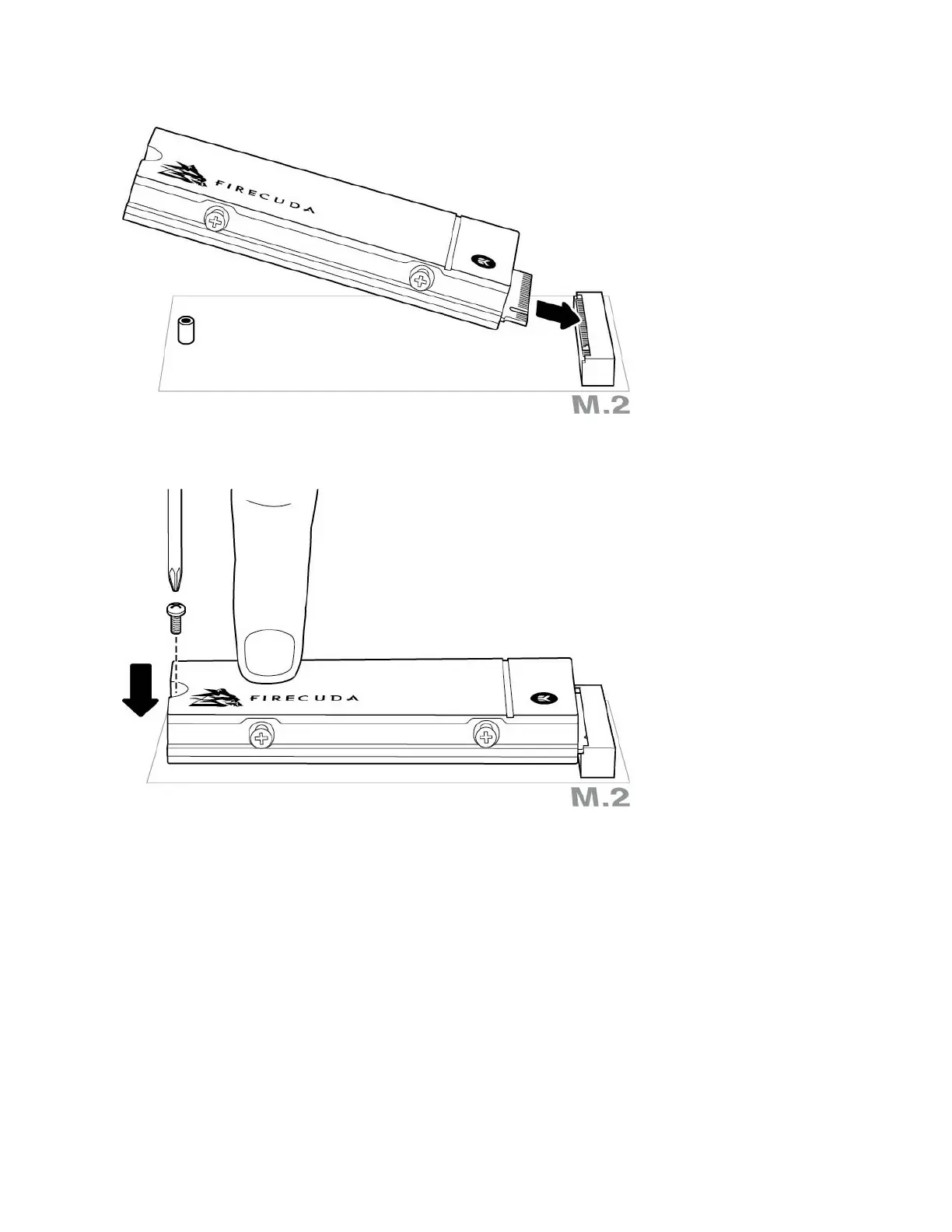
7. Check to make sure that the notch on FireCuda SSD is correctly aligned with the divider in the slot.
Gently push FireCuda SSD into the slot until it's firmly seated.
8. Hold down FireCuda SSD while you fasten the mounting screw. Make sure the SSD is secured in place.
9. Close the case or cabinet and reassemble your computer.
10. Power on your computer.
11. Install the computer operating system on FireCuda SSD if you want to use it as the primary drive.










 To Next Page