EasyManua.ls Logo

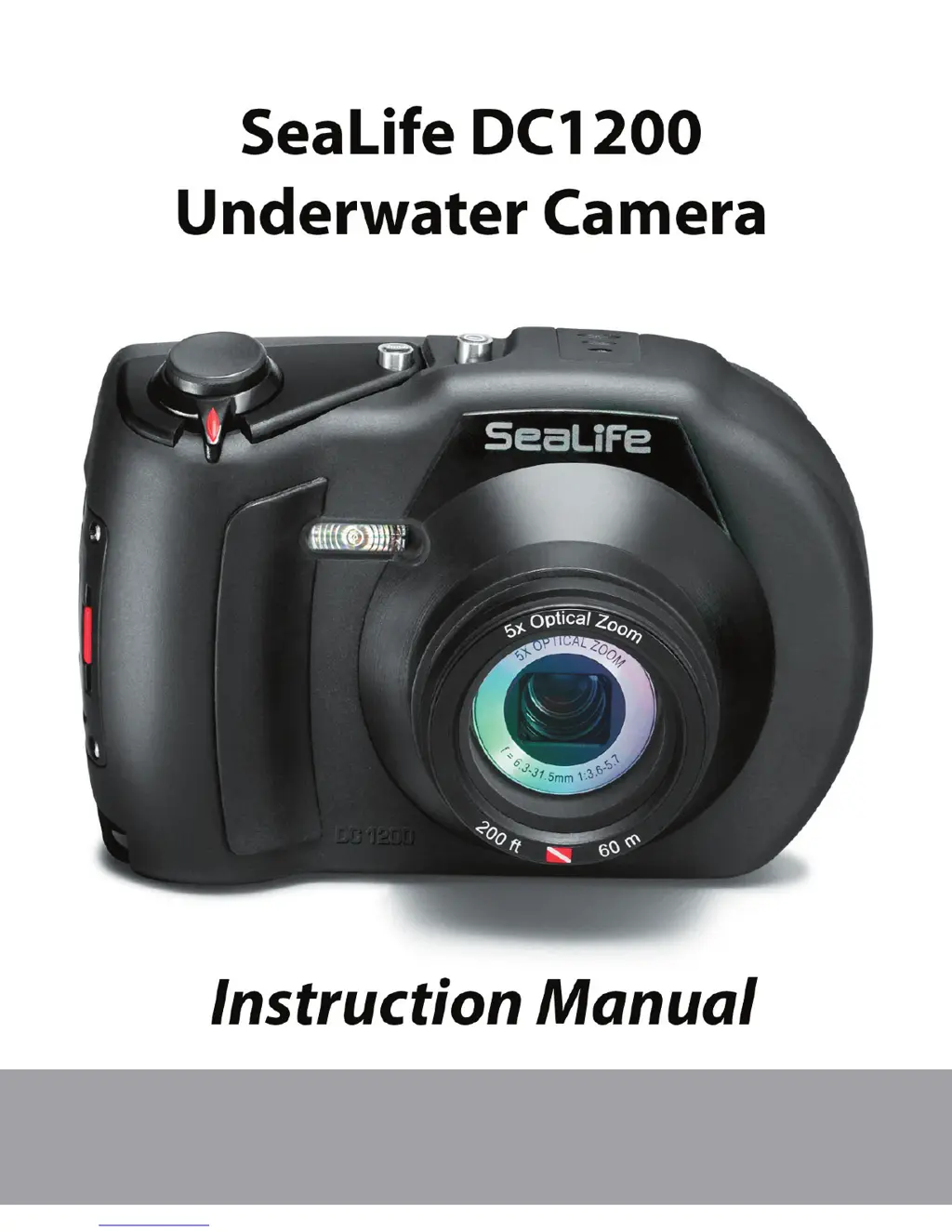
Sealife DC1200 - User Manual

Sealife DC1200
83 pages
Print Icon
To Next Page IconTo Next Page
Loading...
Go to www.sealife-cameras.com/service/manuals.html for
ENGLISH, FRANÇAIS, DEUTSCH, ITALIANO, ESPAÑOL and
NEDERLANDS versions

Table of Contents

Questions and Answers

  • K
    Kimberly SolomonAug 17, 2025
    How to fix Sealife DC1200 Digital Camera if power does not come on?
    • J
      Jose HillAug 17, 2025
      If your Sealife Digital Camera power does not come on, ensure the battery is inserted correctly. If the issue persists, the battery may be exhausted; recharge it.
  • M
    Michael FrazierAug 19, 2025
    Why does Sealife Digital Camera battery run out quickly?
    • T
      Tyler GallagherAug 20, 2025
      If your Sealife Digital Camera battery runs out quickly, it might not be fully charged or hasn't been used for a while after charging. Fully charge the battery and discharge it for at least one complete cycle before use to maximize its performance and lifetime.
  • A
    Angela DavisAug 22, 2025
    What to do if Sealife DC1200 Digital Camera picture is too dark with external flash?
    • C
      Carolyn HessAug 22, 2025
      If your Sealife Digital Camera picture is too dark when using an external flash accessory, first, ensure that the camera setting is optimized by selecting Ext Flash Auto mode. If the issue persists, select “Far Flash” by pressing the flash button to brighten the picture exposure level. You can also increase the external flash accessory brightness by rotating the brightness control knob counter-clockwise.
  • J
    Justin MorenoAug 25, 2025
    What to do if Sealife Digital Camera picture is too bright with external flash?
    • T
      Theresa CabreraAug 26, 2025
      If your Sealife Digital Camera picture is too bright when using an external flash accessory, first, ensure the camera setting is optimized by selecting Ext Flash Auto mode. If needed, select “macro Flash” by pressing the flash button to darken the picture exposure level. Additionally, reduce the external flash accessory brightness by rotating the brightness control knob clockwise. Also, move farther away from highly reflective subjects that are white or silver in color.
  • J
    Jeffrey MaxwellAug 27, 2025
    What to do if Sealife DC1200 does not take picture?
    • S
      Sabrina KellyAug 28, 2025
      If your Sealife Digital Camera does not take a picture even when you press the shutter button, make sure you press the shutter button all the way down. Also, check if the memory card has free capacity, and if not, insert a new memory card or delete unwanted files. Wait until the status LED is green if the flash is charging. Lastly, ensure the memory card is not write-protected by removing the write-protection.
  • A
    Amy HuntAug 30, 2025
    Why Sealife DC1200 Digital Camera won't focus?
    • M
      Matthew BennettAug 30, 2025
      If your Sealife Digital Camera is not focusing even when set to auto focus, start by wiping the lens clean with a soft, dry cloth or lens paper. Ensure that the distance to the subject is within the effective focus range.
  • R
    Richard EspinozaSep 2, 2025
    Why are my Sealife DC1200 Digital Camera pictures blue or green?
    • B
      Benjamin MeyersSep 2, 2025
      If your Sealife Digital Camera images appear blue or green, it's likely because water absorbs red and yellow colors. To correct this, set the camera to Sea Mode and select the appropriate white balance setting. Alternatively, use a SeaLife Digital Pro Flash Accessory in low light conditions or deeper depths.
  • L
    larry18Sep 5, 2025
    Why is my Sealife Digital Camera image not sharp?
    • L
      Luis StantonSep 5, 2025
      If your Sealife Digital Camera image is not sharp, check the focus setting. For information on the correct focus setting, see page 20. If you are shooting in water with low visibility, minimize the shooting distance. If your subject is too far away, minimize the shooting distance to 6ft/2m while underwater. Also, inspect and clean the lens.
  • H
    hmckinneySep 8, 2025
    What to do if Sealife DC1200 Digital Camera buttons do not work?
    • J
      Jason OchoaSep 8, 2025
      If your Sealife Digital Camera does not operate even when the buttons are pressed, the battery is likely running low. Recharge the battery.
  • V
    Victoria JonesSep 12, 2025
    Why can't I playback files on my Sealife Digital Camera?
    • H
      hernandezeugeneSep 12, 2025
      If the contents on the memory card cannot be played back on your Sealife Digital Camera, it is possible that the memory card was not formatted by this camera. Insert a memory card that was formatted on this camera.

Sealife DC1200 Specifications

General IconGeneral
Optical Zoom3x
Digital Zoom4x
Sensor TypeCCD
Video Recording720p HD
StorageSD/SDHC Card
Battery TypeLithium-ion rechargeable
LCD Screen Size2.7-inch
Waterproof Depth200 feet (60 meters)
Megapixels12 MP

Related product manuals