EasyManua.ls Logo

Sealife ReefMaster Mini - User Manual

Sealife ReefMaster Mini
82 pages
Print Icon
To Next Page IconTo Next Page
Loading...
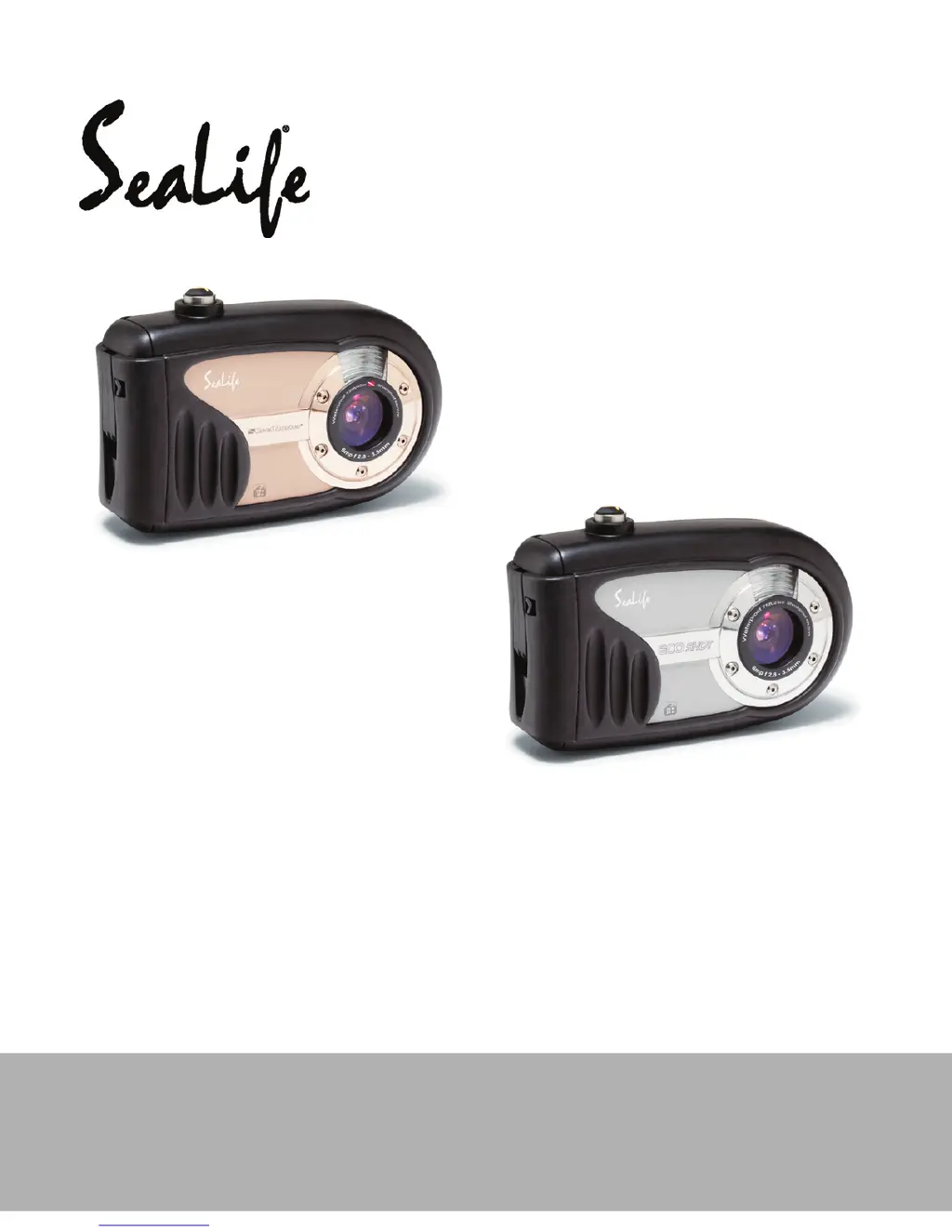
Waterproof / Shockproof
Digital Sports Camera
ReefMaster Mini / SL320
ECOshot / SL321
English
Instruction Manual
Go to www.sealife-cameras.com/service/manuals.html for
ENGLISH, FRANCAIS, DEUTSCH, ITALIANO and ESPANOL versions

Table of Contents

Questions and Answers

  • T
    toddjenkinsAug 20, 2025
    How to turn on Sealife ReefMaster Mini if it doesn't power on?
    • C
      Charles YoungAug 20, 2025
      If your Sealife Digital Camera isn't powering on, the batteries might not be loaded correctly, so ensure they are properly installed. Alternatively, the batteries may be exhausted, requiring you to recharge or replace them.
  • K
    Kimberly ThompsonAug 22, 2025
    Why do the batteries run out quickly on my Sealife ReefMaster Mini Digital Camera?
    • E
      Elizabeth BaileyAug 22, 2025
      Several factors can cause the batteries to drain quickly on your Sealife Digital Camera. Using the camera in extremely low temperatures or frequently capturing shots in dark places with the flash can deplete battery life. Also, ensure that the batteries are fully charged. If the batteries have not been used for a while after charging, fully charge them and discharge them for at least one complete cycle before use to maximize performance.
  • N
    Nicholas VillanuevaAug 25, 2025
    What to do if my Sealife Digital Camera doesn't shoot when I press the shutter button?
    • D
      Desiree MorrisAug 25, 2025
      There are several reasons why your Sealife Digital Camera might not be shooting. First, check if the batteries are low and recharge or replace them. Ensure the power is on and that the camera is in shooting mode, which can be switched to by pressing the playback button. Make sure to press the shutter button all the way down. Also, verify that your memory card has free space, isn't write-protected, or needs replacing. If the flash is recharging, wait until the status LED turns off. If the memory card is not recognized, format it in the camera. Finally, if the auto power off function is activated, turn the power back on.
  • J
    James LambAug 26, 2025
    What to do if my Sealife Digital Camera power cuts out during use?
    • P
      Pamela JohnsonAug 27, 2025
      If your Sealife Digital Camera's power cuts out during use, it could be due to the auto power off feature activating after the camera is left unattended and unused, so turn the power back on. Alternatively, the batteries may be exhausted, so try recharging or replacing them.
  • J
    jessica20Aug 27, 2025
    Why doesn't the flash fire on my Sealife ReefMaster Mini?
    • K
      Kristine GravesAug 28, 2025
      If the flash on your Sealife Digital Camera isn't firing, first check if the flash is set to 'flash off' mode and change it to a different setting. If the flash isn't ready, it takes about 4 seconds to recharge; wait for the LED indicator light to turn solid green. Also, if the flash is set to Auto and there's enough surrounding light, consider setting the flash to ON to force it to fire.
  • R
    Robyn WelchAug 30, 2025
    How to fix dark images on my Sealife ReefMaster Mini Digital Camera?
    • A
      Alexander JamesAug 30, 2025
      If your images are too dark, ensure that the flash is not set to 'flash off' when capturing images in a dark place. Additionally, the image may be underexposed. To correct this, set the exposure compensation to a larger value. When using external flash, set the camera to far flash to make images brighter.
  • F
    flawrenceAug 31, 2025
    Why are my underwater images from Sealife Digital Camera blue and lacking color?
    • J
      Jacob PrinceAug 31, 2025
      Underwater images may appear blue and lack color because water filters out red and yellow colors. To resolve this, set your Sealife Digital Camera to Sea mode and select the appropriate white balance. You can also use an optional external flash accessory to restore lost colors.
  • P
    Paul CarneySep 2, 2025
    How to correct overexposed images on my Sealife ReefMaster Mini Digital Camera?
    • R
      Robert LeeSep 2, 2025
      If your images are too bright, it indicates over-exposure. To fix this, set the exposure compensation to a smaller value. In Ext. Flash mode, set camera to macro flash to make images darker.
  • G
    Gina FisherSep 4, 2025
    How to enable playback on Sealife Digital Camera?
    • J
      jose57Sep 4, 2025
      If you cannot playback images on your Sealife Digital Camera, make sure it is set to playback mode by pressing the playback button.
  • M
    Michael BarkerSep 6, 2025
    What to do if files cannot be deleted from my Sealife ReefMaster Mini?
    • K
      Kenneth MatthewsSep 6, 2025
      If you cannot delete files, it might be because the file is protected; cancel the protection. Another reason might be that you are trying to delete files from a memory card that was not formatted by this device; load a card that was formatted and stored on by this device.

Summary

Getting Started and Safety

Safety Instructions

Essential safety guidelines to prevent camera damage and user injury.

Camera Overview and Preparation

Covers camera parts, initial setup, and basic configuration.

Camera Modes and Operation

Photography Mode Features

Covers shooting basics, image settings, exposure, and scene modes.

Video and Playback Modes

Recording/playing videos and basic image playback.

Advanced Playback and Printing

File management, DPOF, and printer connectivity.

Underwater Use and Computer Connectivity

Underwater Photography and Maintenance

Tips for underwater shots and maintaining waterproof seal.

File Transfer and PC Camera Usage

Connecting to PC, transferring files, and using as webcam.

Menu Options, Specifications, and Troubleshooting

Camera Menu Settings

Detailed explanation of all menu options.

Specifications and Troubleshooting

Technical specs and problem-solving guide.

Sealife ReefMaster Mini Specifications

General IconGeneral
Maximum frame rate30 fps
Video formats supportedAVI
Maximum video resolution640 x 480 pixels
Photo modeYes
Sensor typeCMOS
Total megapixels9 MP
Image formats supportedJPG
Maximum image resolution3472 x 2604 pixels
Display diagonal2.4 \
Digital zoom3 x
Internal memory28 GB
Compatible memory cardsSD, SDHC
GPS (satellite)No
Product colorBlack, Red
Protection featuresWater resistant
Languages supportCHI (SIMPL), CHI (TR), DEU, DUT, ENG, ESP, FRE, ITA, POR, RUS, TUR
Fastest camera shutter speed1/2000 s
Slowest camera shutter speed1 s
Battery typeAAA
Battery life (max)- h
Battery technologyAlkaline
Weight and Dimensions IconWeight and Dimensions
Depth46 mm
Width114 mm
Height76 mm
Weight286 g

Related product manuals