EN-24
Setting Image Resolution and Quality
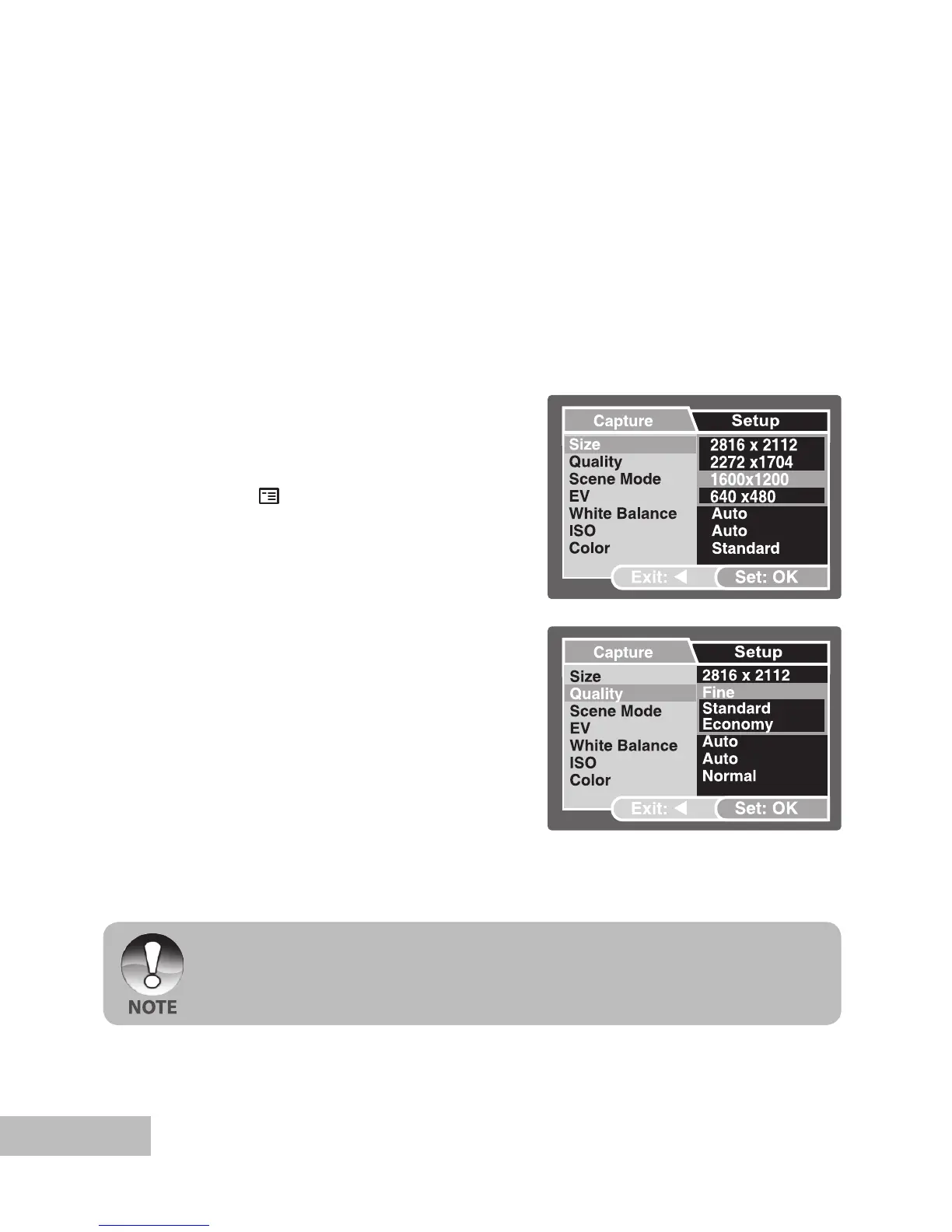
As you get to know the digital camera, you can set the image resolution (number of
vertical and horizontal pixels) and image quality (compression ratio) based on the
types of images you want to shoot. These settings affect the number of images that
can be stored in memory, or on a memory card.
Higher resolution and higher quality images provide finer detail but cause the images
file size to be larger.
To change image resolution or image quality, perform these steps below:
1. Push and hold the
OK button until the
camera turns on.
The camera mode (default preview)
is displayed.
2. Press the
/ button.
The [Capture] menu is displayed.
3. Select [Size] with the / buttons,
then press the OK button.
4. Select the desired setting with the /
buttons, then press the OK button.
5. Select [Quality] with the
/ buttons,
then press the OK button.
6. Select the desired setting with the /
buttons, then press the OK button.
7. To exit from the menu, press the
button.
The possible number of shots and recording time depend on the storage size,
resolution and quality settings and the subject of the image to be captured.



 To Next Page