EN-34
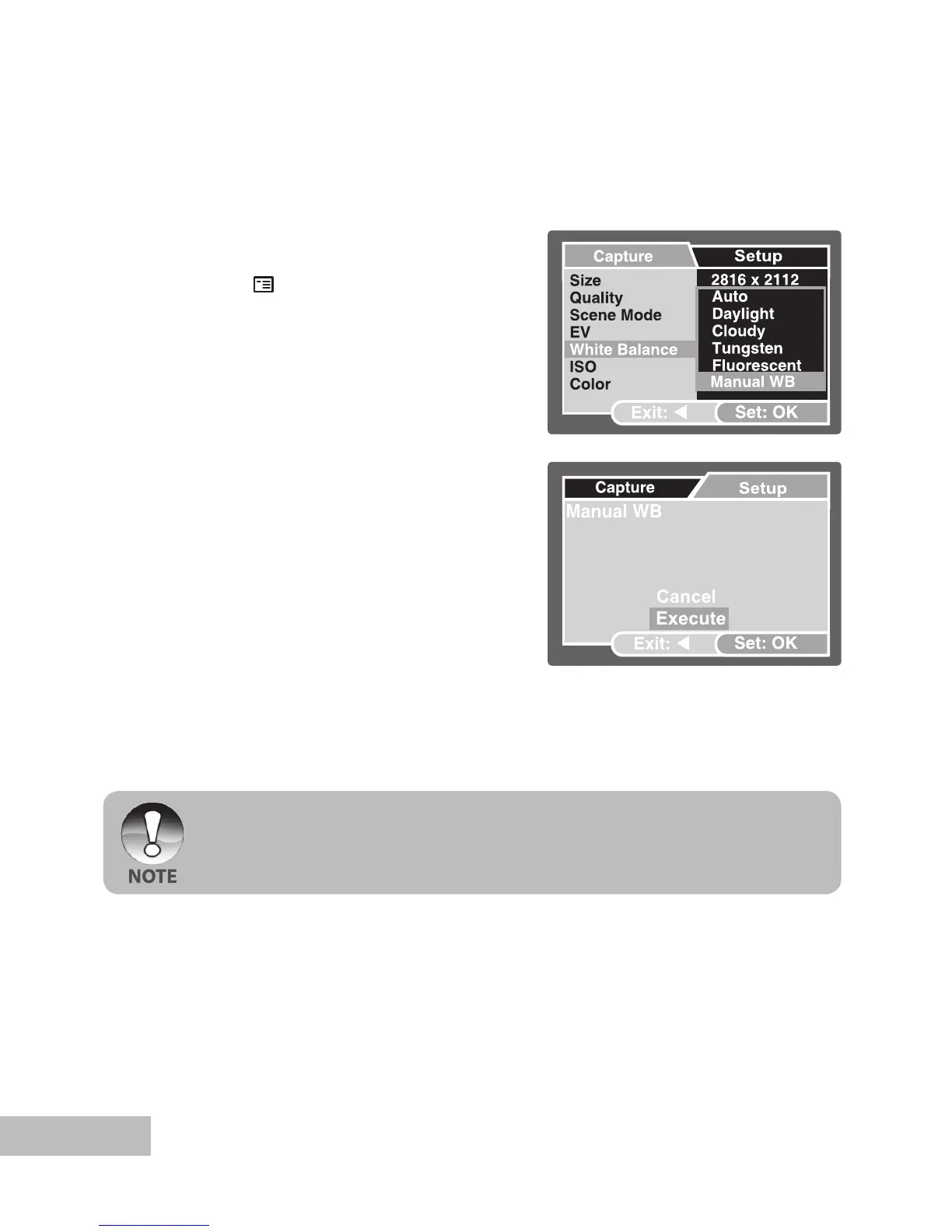
Setting Manual White Balance
You can manually set and store the white balance when the menu options does not
offer a good match.
1. Push and hold the
OK button until the
camera turns on.
2. Push the
/ button.
The [Capture] menu is displayed.
3. Select [White Balance] with the /
buttons, then push the OK button.
4. Select [Manual WB] with the
/
buttons, then push the OK button.
5. Point the camera at a 8.5” x 11” (A4)
sheet of white paper (or white slate).
Hold the paper (or slate) at arms length
and push the
OK button to [Execute].
The Manual White Balance is now
stored in the camera.
6. To cancel the white balance setting,
repeat the above process and select
[Cancel] in Step 5.
Ex.: In Camera Mode
It may be helpful to hold the paper (or slate) at an angle, midway between the light
source and the camera.



 To Next Page