EN-35
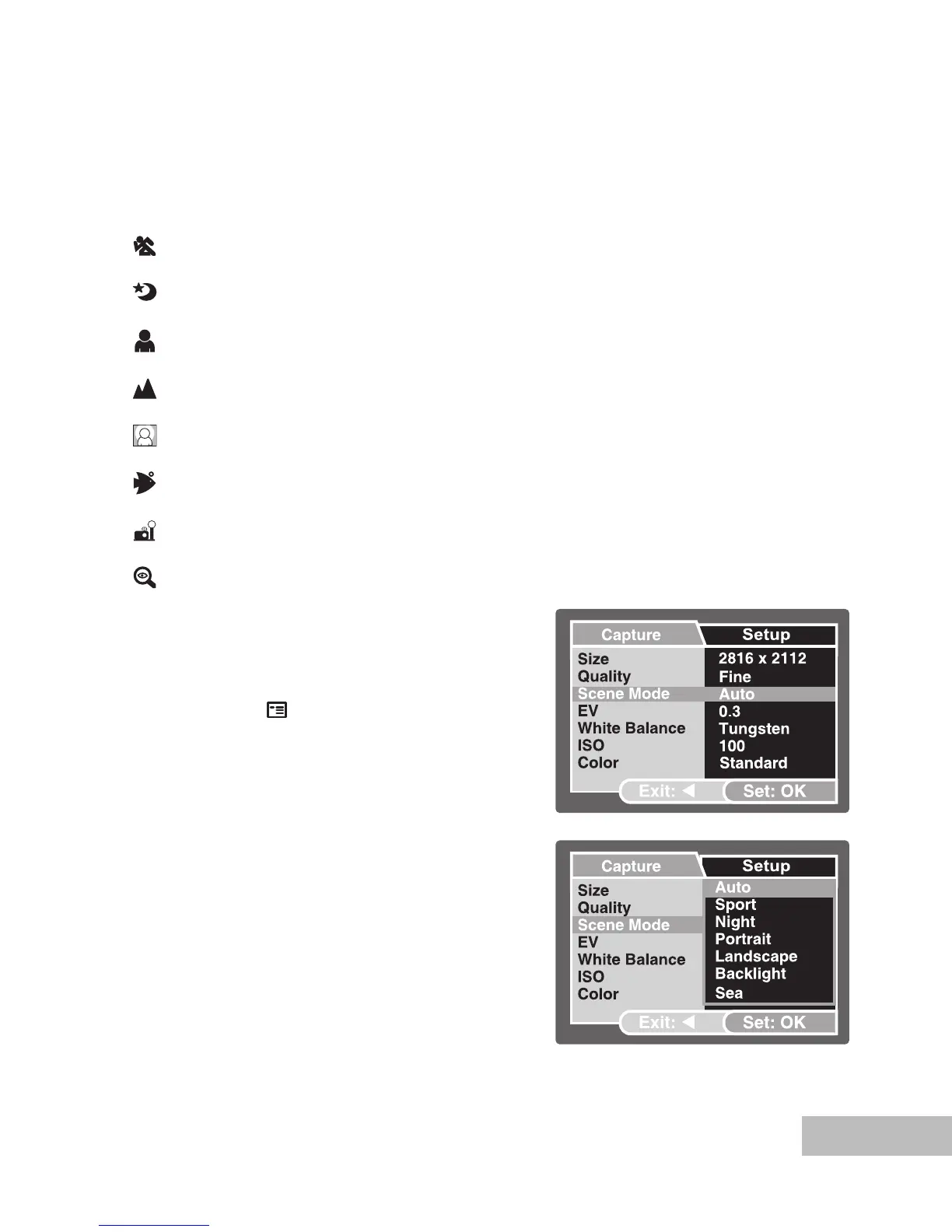
Scene Mode Selection
You can select the scene mode according to the shooting scene. There are 9 available
scene modes.
[ A ] Auto: Select this mode to adjust point-and-shoot action.
[ ] Sport: Select this mode when you want to photograph fast-moving
subjects.
[ ] Night: Select this mode when you want to take pictures outdoors at
night.
[ ] Portrait: Select this mode when you want to capture an image that
makes the person stand out against the background.
[ ] Landscape: Select this mode to capture an image with hard sharpness
and high saturation.
[ ] Backlight: Select this mode when you want to capture images when the
light comes from behind the object.
[ ] Sea: Select this mode when you want to capture underwater
photos when NOT using optional external flash accessory.
[ ] Ext. Flash: Select this mode when you want to capture underwater
photos when using optional external flash accessory.
[ ] Spy: For continuous pictures at set time intervals.
1. Push and hold the
OK button until the
camera turns on.
The camera mode (default preview)
is displayed.
2. Press the
/ button.
The [Capture] menu is displayed.
3. Select [Scene Mode] with the /
buttons, then press the OK button.
4. Select the desired scene mode with
the / buttons, then press the OK
button.
5. To exit from the menu, press the
button.



 To Next Page