EN-20
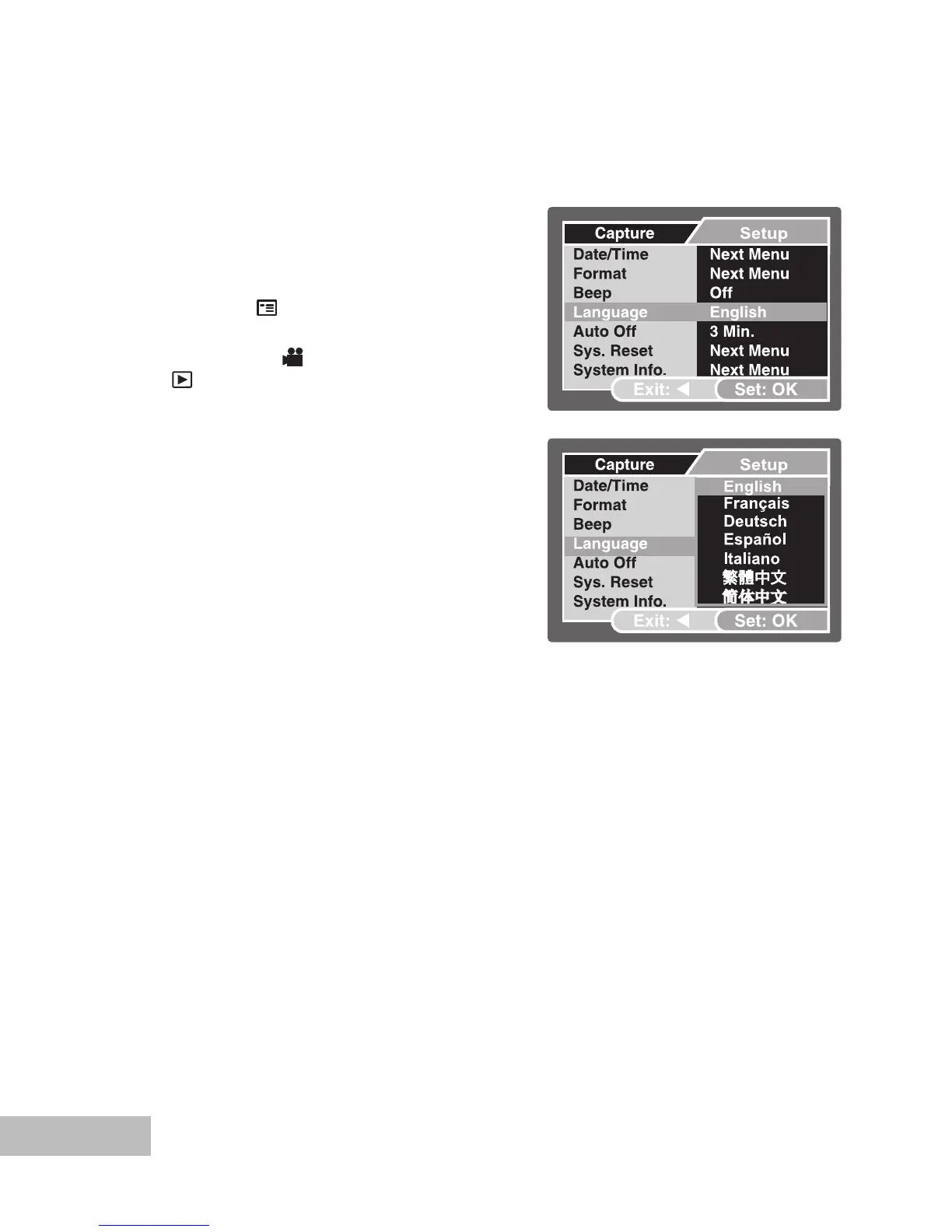
Choosing the Screen Language
Follow the steps below to choose the desired language.
1. Push and hold the
OK button until the
camera turns on.
The camera mode (default preview)
is displayed.
2. Press the / button and access the
setup menu with the button.
In the video [ ] mode or playback
[ ] mode, you may also follow the
step above to access the setup
menu.
3. Select [Language] with the /
buttons, then press the OK button.
The Language setting screen will
be displayed.
4. Select the displayed language with
the / buttons, then press the OK
button.
The setting will be stored.
5. To exit from the menu, press
continuously the button.
Ex.: In Camera Mode



 To Next Page