EN-43
PLAYBACK MODE - ADVANCED FEATURES
Deleting Images/Video Clips
Use this function to delete one or all images/video clips stored in the internal memory or
memory card. Please note that the deleted images or video clips cannot be recovered.
Exercise caution before deleting a file.
Deleting in Playback Mode
1. Press the [
] button.
The last image will be displayed on
the screen.
2. Select the image you want to erase
with the / buttons.
3. Press the
/ button.
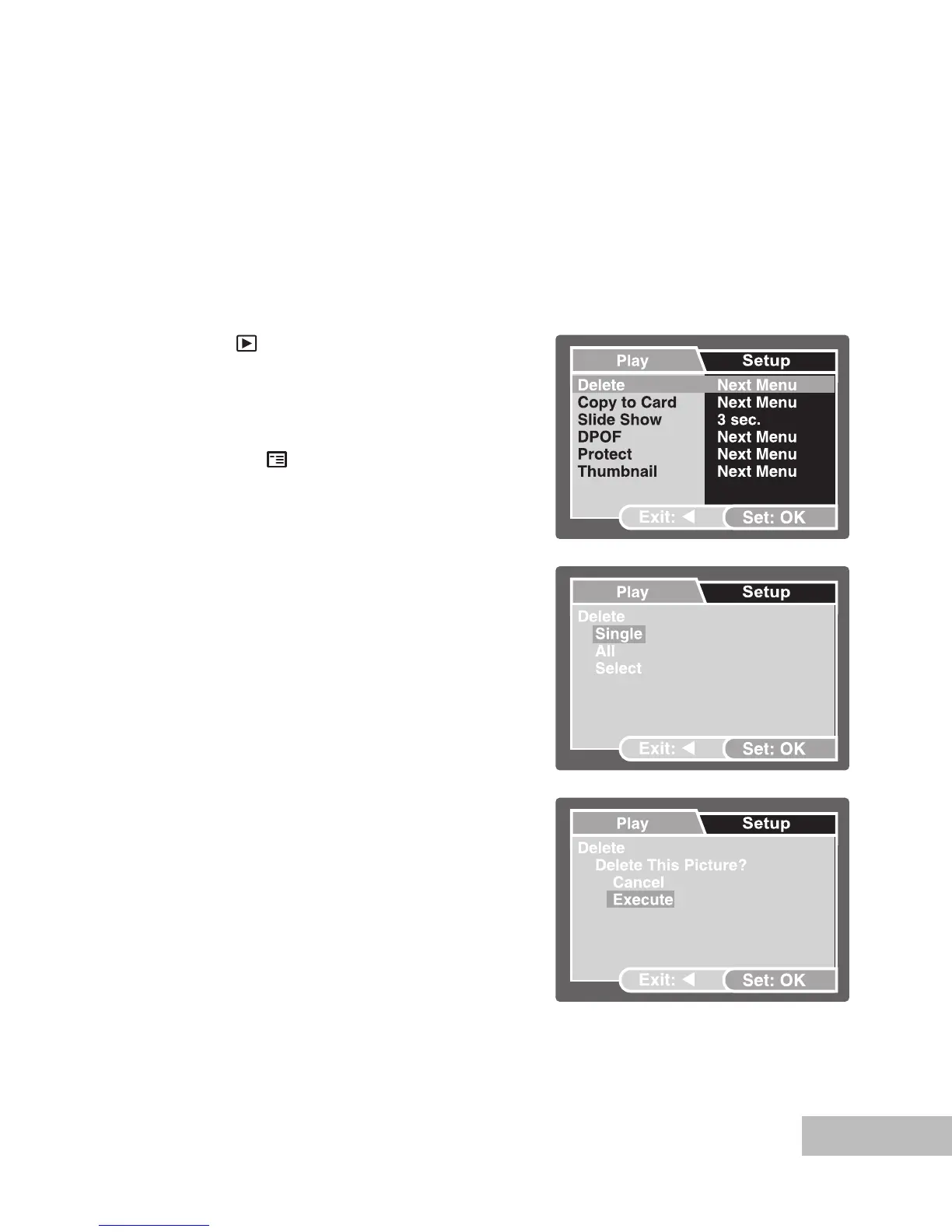
The playback menu is displayed.
4. Select [Delete] with the
/ buttons,
then press the OK button.
The deletion menu is displayed.
5. Select [Single] or [All] with the
/
buttons, then press the OK button.
Single: Delete the displayed image
or the last image.
All: Delete all of the images on the
SDmemory card except for the
protected images.
Select: Select the image from the
thumbnail display and then delete
it.
6. Select [Execute] with the
/ buttons,
then press the OK button.
To cancel deletion, select [Cancel],
then press the OK button.



 To Next Page