MEMORY FUNCTIO
The memory functions will make your typing easier and
more efficient.
Repetitive phrases, technical terminology and entire letters
can be-stored, edited :and recalled (printed) at will.
You can also make several files with formats (margins and
tabs) for letters and other documents you regularly type.
®
®
Your typewriter has a memory back-up battery which pro-
tects the stored files for a minimum of five years, even
when the power switch is turned off.
When power is turned on, Six beeps sound ifthe back-up
battery has been completely drained: The contents of the
stored file is erased. Please contact your nearest Sears
Service Center in this case.
1. FILE STORING
INAME OF FILE ?
v
{;TORE
renter file name_
RETURN
1
I
This typewriter is equipped with a 10,000 character mem-
ory for storing up to 50 files.
Three types of files can be stored.
TEXT file _ for entire letters
PHRASE file -- for often-used phrases or terminology
FORMAT file -- for line formats (margins and tabs only)
Choose the file type according to the text to be stored.
1. Storing a TEXT File
For storing entire letters (includingtabs and margins).
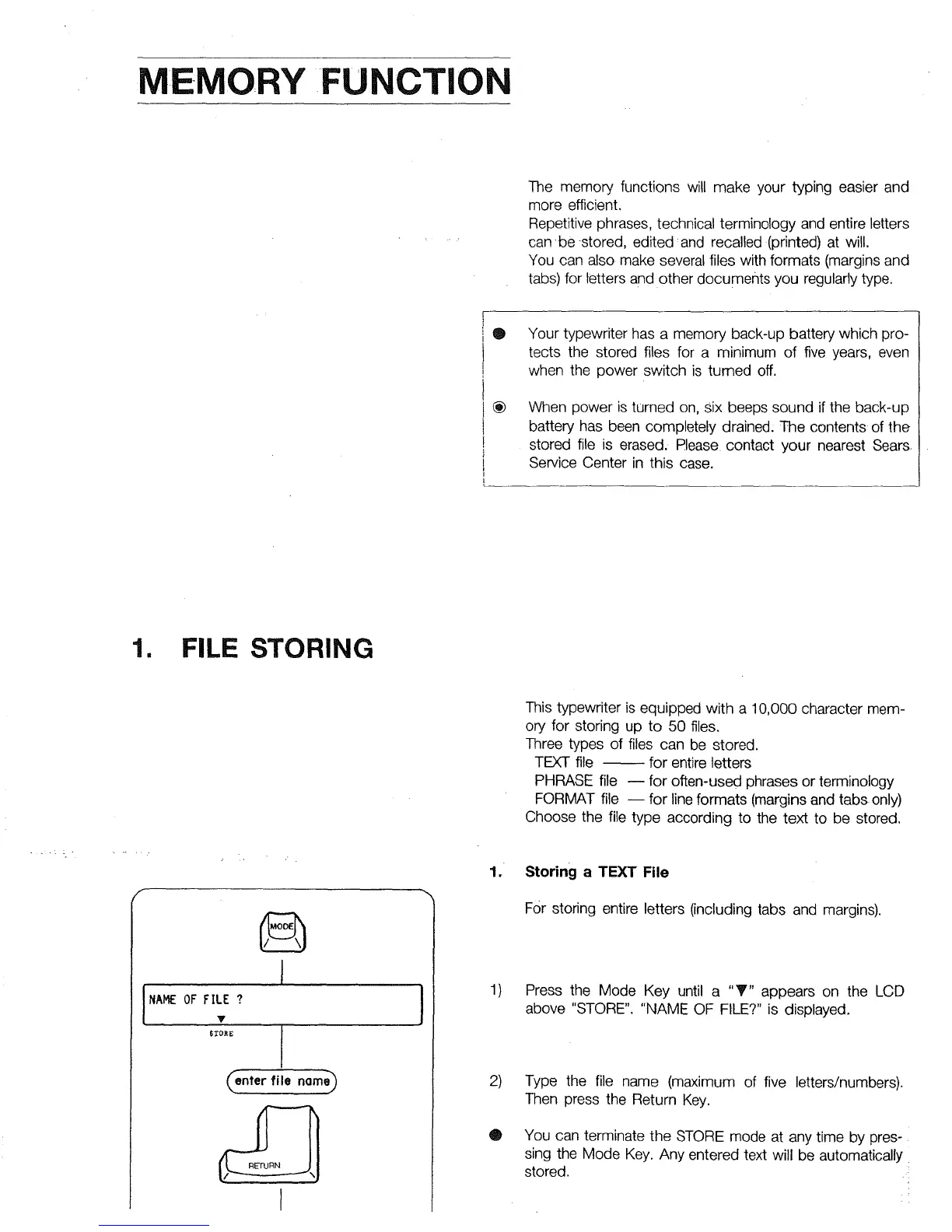
1) Press the Mode Key until a "T" appears on the LCD
above "STORE". "NAME OF FILE?" is displayed.
2)
@
Type the file name (maximum of five letters/numbers).
Then press the Return Key.
You can terminate the STORE mode at any time by pres-
sing the Mode Key. Any entered text will be automatically
stored.



 To Next Page