The essentials
Easy Connect
CAR menu settin
g
s
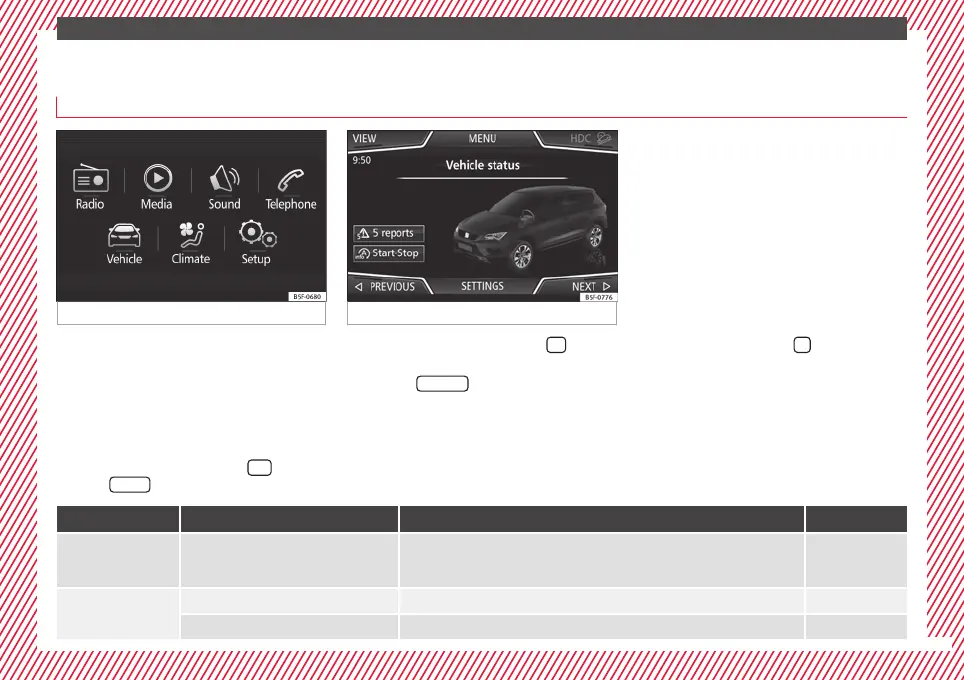
Fig. 41 Easy Connect: Main menu. Fig. 42 Easy Connect: CAR menu.
The actual number of menus available and
the n
ame of
the
various options will depend
on the vehicle’s electronics and equipment.
●
Switch the ignition on.
●
If the Infotainment System is off, switch it
on.
●
Press the Infotainment button
and
then the
V
ehic
l
e
function button ›
›
›
Fig. 41,
or, press the Infotainment button
to go to
the Vehicle menu ›
›
›
Fig. 42.
●
Press the
SETTINGS
function button to open
the Vehicle settings menu.
●
To select a function in the menu, press the
de
s
ir
ed button.
When the function button check box is activa-
ted , the function is active.
Pressing the menu button
will always take
y
ou t
o the l
ast menu used.
Any changes made using the settings menus
are automatically saved on closing those me-
nus.
Menu Submenu Possible setting Description
ESC system
–
Activation and deactivation of the traction control system (ASR) and the electronic sta-
bility control (ESC) system, selecting the Sport / Off-road* mode of the electronic sta-
bility control (ESC Sport)
››› page 189
Tyres
Tyre pressure monitoring Tyre pressure storing (Calibration) ››› page 311
Winter tyres Activation and deactivation of the speed warning, adjusting the speed warning value ››› page 315
»
33



 To Next Page