70 Cockpit
Main menu
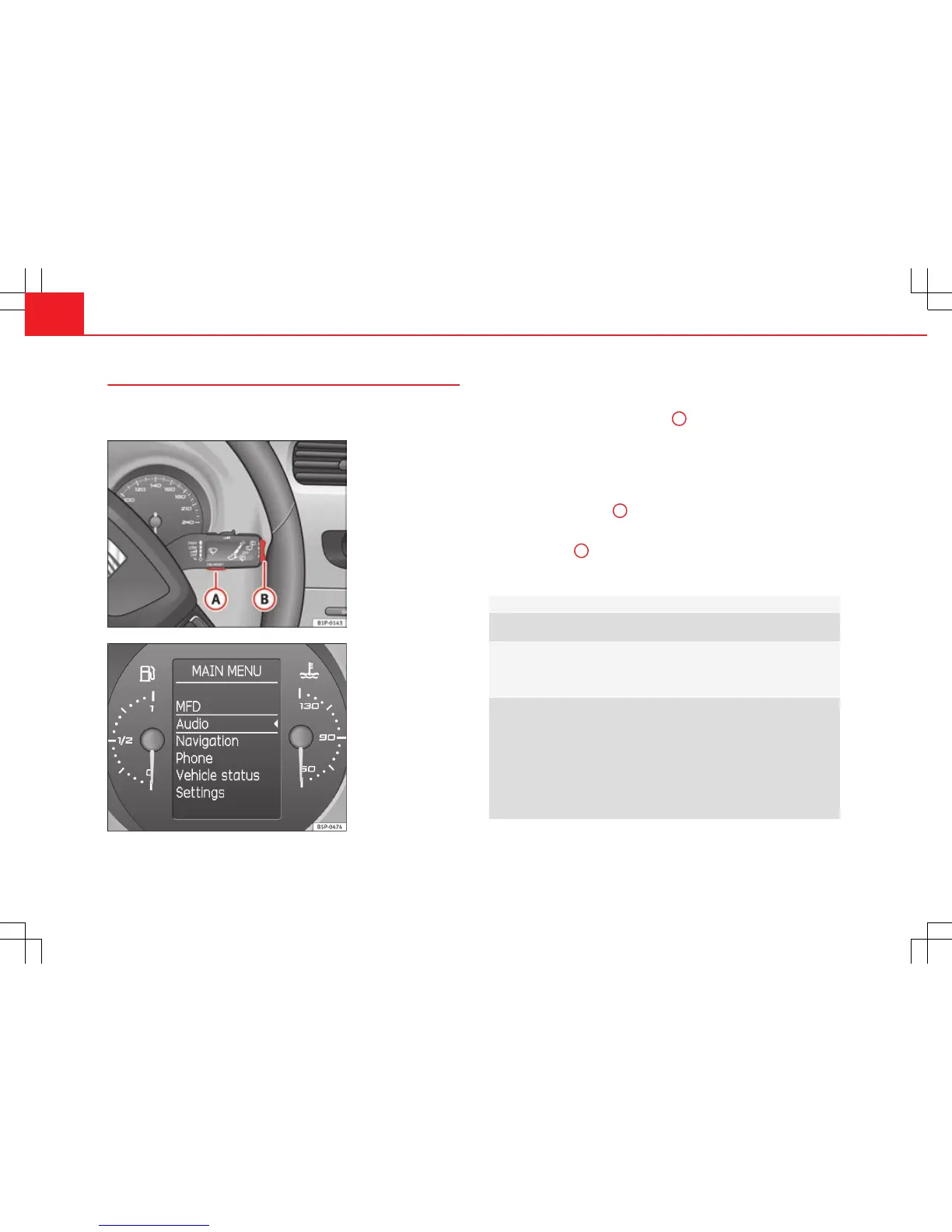
The menu provides access to the different display functions
(only with the MFI lever).
Fig. 45 Windscreen wip-
er lever (MFI): button A to
confirm the menu selec-
tion and rocker switch B
to change the menu
Fig. 46 Digital instru-
ment panel display: Main
menu
Open main menu
– Switch the ignition on.
– Press and hold the eject button
B
for at least two seconds. It
may be necessary to repeat this operation until the main menu
is displayed.
Select a menu from the main menu
– To choose an option from the menu, press the upper or lower
end of rocker switch
B
. The selected option is displayed be-
tween two horizontal lines.
– Press button
A
to select the entry.
Example of menu use ⇒ page 68
Main menu Function
Multifunction dis-
play
Change to the multifunction display (MFI): “Multi-
function display (MFI)”
Audio This menu displays the available information for the
active audio source (radio station, CD audio track /
MP3 / USB / iPod / Bluetooth audio
a)
/ call informa-
tion
a)
.
Navigation This menu is only available if the vehicle is fitted
with a navigation system. The navigation system
must be switched on. When the route guidance is ac-
tivated, the turning arrows and proximity bars are
displayed. The appearance is similar to the Naviga-
tion system.
If the route guidance is not activated, the direction of
travel (compass) and the name of the street along
which you are driving are shown.



 To Next Page