Infotainment system
Overview and controls
Connect System
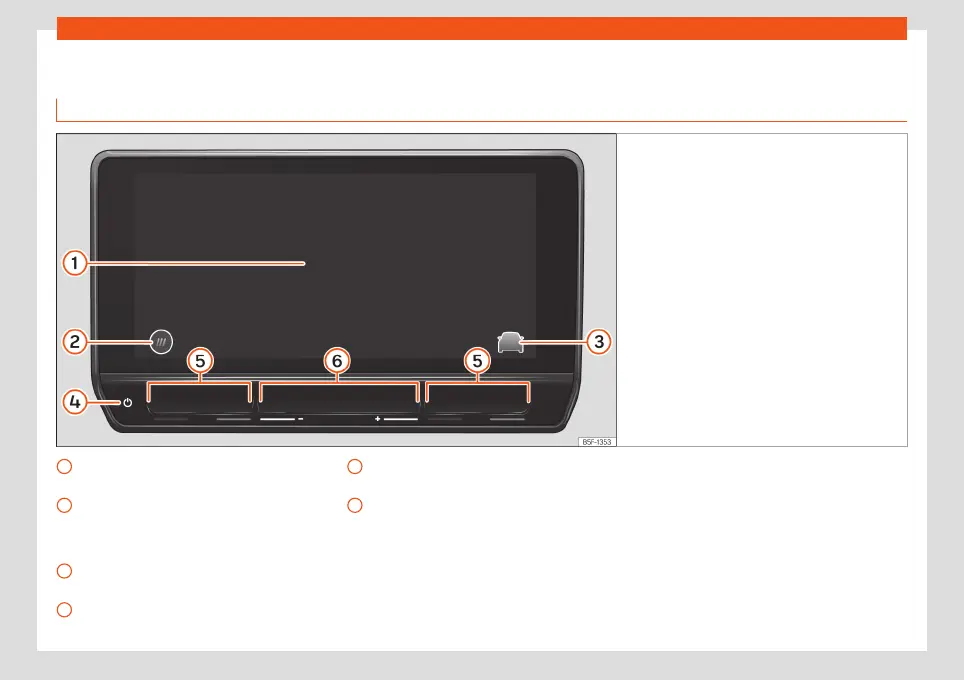
Fig. 152
Overview: control unit and indication in
the 10-inch version
Touch screen. The infotainment functions
can be used through the screen.
HOME button.
: main menu with widget views.
: main menu in mosaic mode.
Direct access button to the assist sys-
tems and vehicle settings.
Touch zone (to turn the infotainment sys-
tem on or off).
1
2
3
4
Touch zones (to raise and lower the air
conditioning temperature).
Touch zones (to raise and lower the vol-
ume).
5
6
172



 To Next Page