Introduction
Media System
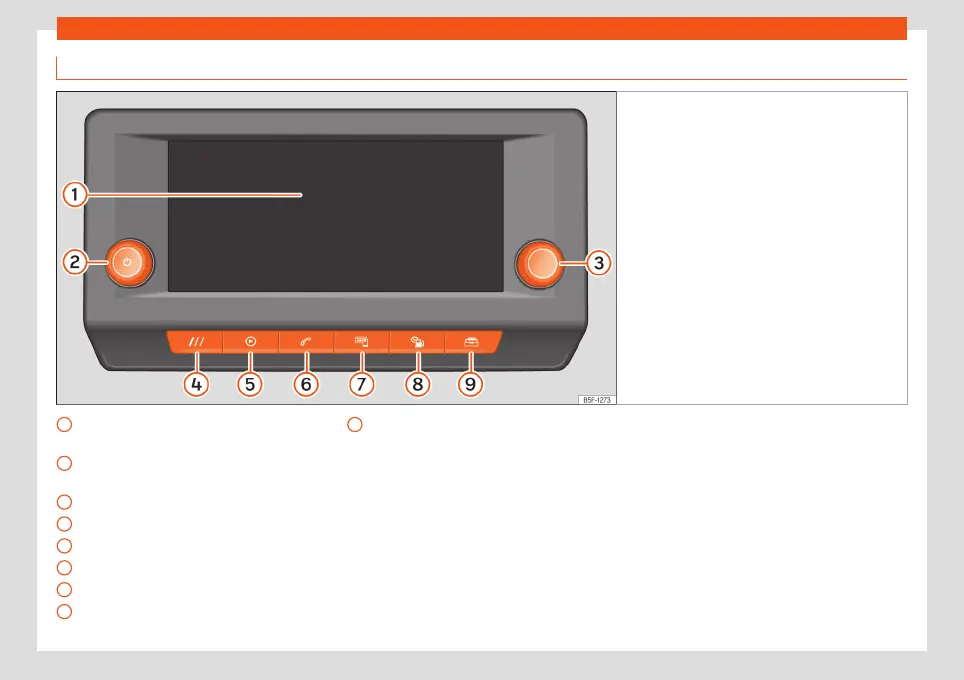
Fig. 153
Overview: control unit and indication in
the 8.25-inch version
Touch screen. The infotainment functions
can be used through the screen.
Rotary push button (to adjust the volume
and to switch the infotainment on/off)
Rotary push button (to search and select)
HOME button (to open the home page)
Radio/Multimedia
›››
page 193
Telephone
›››
page 207
Full Link
›››
page 185
Vehicle information
›››
page 92
1
2
3
4
5
6
7
8
Vehicle settings
›››
page 93
9
173



 To Next Page