Introduction
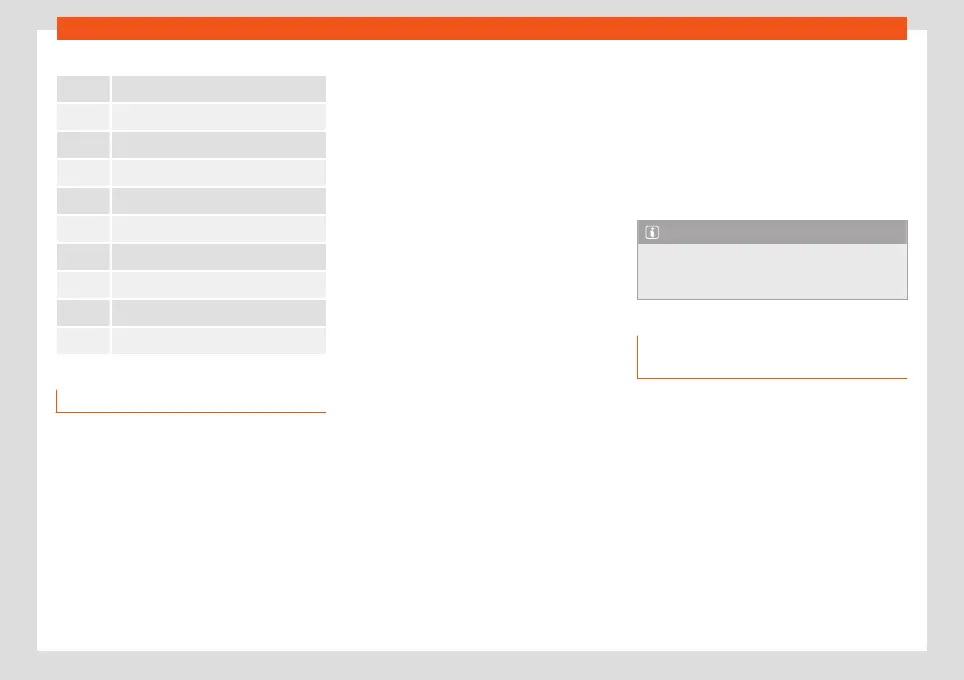
Main menus on the home screen
Navigation
›››
page 185
Entertainment
›
›
›
page 178
Telephone
›
›
›
page 192
Full Link
›
›
›
page 169
System Settings
›
›
›
page 160
Vehicle settings
›
›
›
page 87
Vehicle info
›
›
›
page 86
Air conditioning
›
›
›
page 144
Sound
Help
Managing the infotainment system
Execute the functions and settings with the in-
f
ot
ainment contr
ols.
Depending on the equipment, the infotain-
ment system has different controls:
●
Touch screen.
●
Touch zones outside the screen, for exam-
ple, Volume (+ -).
●
Function buttons, for example, RADIO or
MEDIA.
Opening the Quick Guide
You will find more information and tips for
handling in the Quick Guide of the infotain-
ment system.
●
Press HOME > .
Connecting and disconnecting the info-
tainment system
The infotainment system turns on when the
ignition is switched on, unless it has been
manually turned off beforehand.
The infotainment system starts-up with the
last set volume, provided that this does not
exceed the preset maximum start-up volume.
The infotainment system automatically turns
off when the driver's door is opened, provided
the ignition has been switched off before-
hand.
Browsing lists and changing titles
Select a desired function, setting or title from
the infotainment system via the touch screen
or the menu button.
Moving objects and adjusting volume
Move objects on the screen to adapt settings,
for example, with scrollable buttons or to
move the areas of a menu.
Depending on the equipment, customise me-
nus and views.
Increasing and reducing images or map
sizes
Tip: use your thumb and index finger.
●
Press on the map with both fingers at the
same time and leave them on the screen.
●
To enlarge views, slowly separate one fin-
ger from the other. To reduce views, slowly
bring one finger towards the other.
Note
●
If you turn on the infot
ainment system
manually with the ignition off, it will auto-
matically turn off after about 30 minutes.
Customising the infotainment sys-
t
em
Customise the menus and infotainment views
t
o quickly access your f
av
ourite or most fre-
quently used functions.
In the HOME menu there are function buttons
to access other menus and functions. Adjust
the positions of the function buttons.
Through the drop-down menu you can quick-
ly access certain functions. Adapt the func-
tions shown.
Configure customised menus and the func-
tions shown to adapt the infotainment system
to your needs.
»
159



 To Next Page