Infotainment operation
●
Pl
ace your mobil
e de
vice in the middle of
the pad with the screen facing up
›››
Fig. 144
›››
.
Mak
e sur
e ther
e are no objects between the
pad and the mobile phone.
The mobile phone will start charging auto-
matically. For further information about
whether your mobile device uses Qi technol-
ogy, check your phone's user manual or visit
the SEAT website.
Signal amplifier / “Mobile Signal Amplifi-
er”
It allows you to reduce radiation in the vehicle
and have better reception.
For safety reasons, it is recommended that
you pair the system and the mobile using
Bluetooth
®
and place it on the Connectivity
Box pad, for the best reception without hav-
ing to handle the mobile phone.
To establish a connection with the vehicle's
external aerial:
●
Place your mobile device in the middle of
the pad with the screen facing up
›››
Fig. 144
›››
.
Mak
e sur
e ther
e are no objects between the
pad and the mobile phone.
Your mobile phone will automatically be
ready to make use of the external aerial.
WARNING
●
The mobile phone may heat up due to the
wir
eless charging. Think about this before
you pick it up, and take care when removing
it.
●
There must be no metallic or other ob-
jects between the mobile phone and the
housing, to prevent the functionality of the
Connectivity Box from being affected.
Note
●
Your mobile de
vice must support the Qi
inductive charging interface standard for
proper operation.
●
The charging time and the temperature
vary in accordance with the device used.
●
The maximum charging capacity is 5 W.
●
Qi technology does not allow you to
charge more than one mobile device simul-
taneously.
●
No improvement in reception can be
guaranteed if there is more than one mo-
bile phone on the pad.
●
You are advised to keep the engine run-
ning to guarantee proper wireless charg-
ing.
●
When a telephone with Qi technology is
connected by USB, it will be charged by the
means specified by the manufacturer.
Multimedia
USB por
t
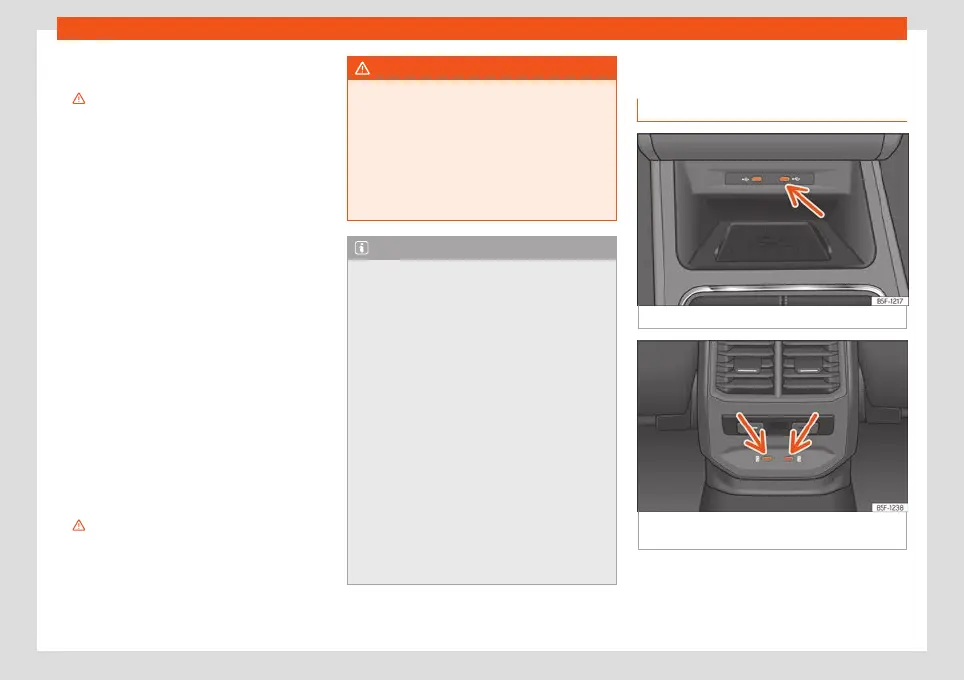
Fig. 145
Centre console: USB port.
Fig. 146
Rear part of the centre console: USB
connect
ors with po
w
er outlet function.
The USB port can be found in the storage
compartment ar
ea of the fr
ont centr
e con-
sole
›››
Fig. 145.
»
197



 To Next Page