Driving
System limitations
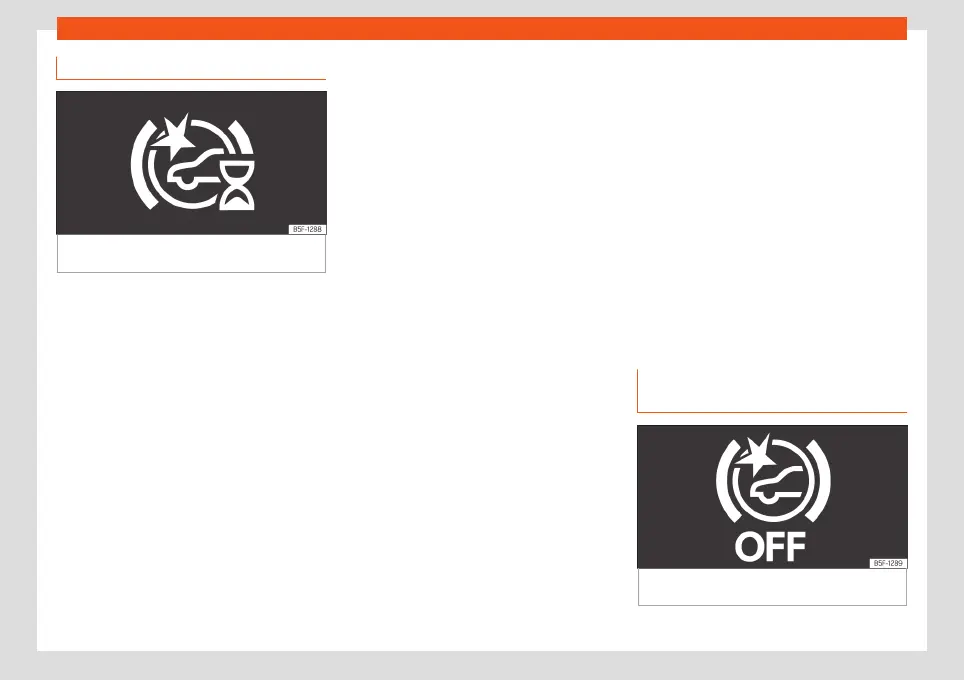
Fig. 159 On the instrument panel display: ini-
tial system self-calibr
ation indication.
Front Assist has certain limitations inherent to
the syst
em. Thus, in cert
ain cir
cumstances,
some of the reactions may be inappropriate
from the driver's standpoint. So pay attention
in order to intervene if necessary.
The following conditions may cause the
Front Assist not to react or to do so too
late:
●
In the first few instants of driving after
switching on the ignition, due to the system’s
initial auto-calibration. During this phase, the
instrument panel screen will display the fol-
lowing indication
›››
Fig. 159.
Unrecognised objects
●
Vehicles travelling outside the reach of the
sensors at close range from your own vehicle.
●
Vehicles that suddenly change to the lane
on which your vehicle is travelling.
●
Pedestrians that cannot be recognised be-
cause they are partially or totally hidden.
●
Objects such as walls, posts, fences, trees
or garage doors.
●
Loads and accessories of other vehicles
that protrude over the sides, backwards or
over the top.
●
Vehicles that cross or approach in the op-
posite direction.
●
In the case of pedestrians or cyclists stand-
ing or approaching in the opposite direction.
Operating limitations:
In the following situations, the Front Assist
may work late or in an undesirable manner.
The following icon is displayed (in yellow)
in the instrument panel, accompanied by the
message Front Assist with limita-
tions.
●
If the Front Assist or the front camera are
disabled or broken.
●
If the radar sensor or the front camera are
dirty or covered.
●
On taking tight bends or complex paths.
●
When pressing the accelerator firmly or at
full throttle.
●
If the TCS has been disconnected or the
ESC is activated in Sport
›››
page 259 mode.
●
If the ESC is adjusting or is broken.
●
If several brake lights of the vehicle or elec-
trically connected trailer are damaged.
●
If there are metal objects, e.g. guard rails or
sheets used in road works.
●
If the vehicle is reversing.
●
If you are driving through a parking lot.
●
In case of snow or heavy rain.
●
In case of dazzling sun or total darkness.
●
Entrances and exits of tunnels.
●
In complex driving situations (such as traffic
islands, cut-through roundabouts, etc), Front
Assist may issue warnings and intervene in
braking in an unnecessary manner.
Manual activation and deactiva-
tion of the function
Fig. 160
On the instrument panel display:
Fr
ont Assist deactiv
at
ed indication.
226



 To Next Page