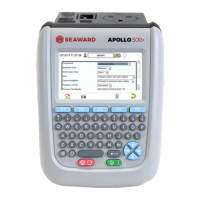
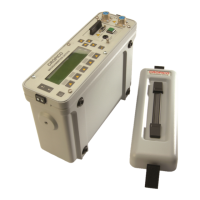
Apollo 400 Operating Instructions
2
Table of Contents
1. Limited Warranty & Limitation of Liability..................................................... 4
2. Disposal of old product ............................................................................... 4
3. Certificate of Conformity .............................................................................. 5
4. User Notes ................................................................................................... 6
5. Safety Notes ................................................................................................ 6
6. Accessories ................................................................................................. 7
6.1 Standard Accessories ............................................................................ 7
6.2 Optional Accessories ............................................................................. 7
7. Introduction to the Apollo 400 ..................................................................... 8
8. Getting Started ............................................................................................ 8
8.1 Charging New Batteries ......................................................................... 8
8.2 Power On ............................................................................................... 8
9. User Interface Navigation ............................................................................ 9
9.1 Screen Layout ........................................................................................ 9
9.2 Menu Navigation .................................................................................... 9
9.3 Battery Status ...................................................................................... 10
9.4 Test Functionality ................................................................................. 10
10. Main Menu ............................................................................................... 11
10.1 View Saved Data ................................................................................ 11
10.2 User Options ...................................................................................... 11
10.3 Bluetooth Setup ................................................................................. 12
10.4 Automatic Test Sequence Editor (PAT Edit) ....................................... 12
10.5 Download ........................................................................................... 13
10.6 Set Date and Time .............................................................................. 13
10.7 Memory .............................................................................................. 13
11. Portable Appliance Testing ..................................................................... 14
11.1 Automatic Test Sequence .................................................................. 14
11.1.1 Entering Asset Details .................................................................. 14
11.1.2 The Formal Visual Inspection ....................................................... 14
11.1.3 The Electrical Tests...................................................................... 15
11.1.4 Printing a Label ............................................................................ 15
11.2 Manual Test Interface ......................................................................... 15
11.3 Test Functions .................................................................................... 16
Earth Continuity ...................................................................................... 16
Nulling out the earth continuity test lead(s) resistance ........................... 17
Insulation Resistance .............................................................................. 17
Substitute Leakage ................................................................................. 19
Protective Earth (PE) Conductor Current ................................................ 20
Touch Current ......................................................................................... 20
RCD Trip Time ........................................................................................ 21
IEC Lead / Polarity .................................................................................. 21
External Leakage Adaptors .................................................................... 21
11.4 Checkbox Verification ........................................................................ 22
12. Updating your Firmware .......................................................................... 22
13. Electrical Specification............................................................................. 23
14. Useful Information .................................................................................... 25



 To Next Page