EasyManua.ls Logo

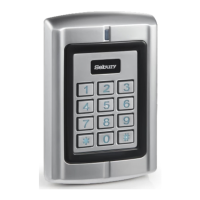
Sebury B6-EH Plus - User Manual

Sebury B6-EH Plus
35 pages
Print Icon
To Next Page IconTo Next Page
Loading...
B6 Plus Series Standalone Access Controller User Manual V1.0
Sebury Technology Co., Ltd http://www.sebury.com.cn
1
B6 Plus
USER MANUAL
V1.0

Table of Contents

Questions and Answers

  • J
    jonathanmillerAug 11, 2025
    Why is my Sebury IP Access Controller user card not opening the door?
    • G
      Greg JacobsAug 11, 2025
      If your Sebury IP Access Controller user card isn't opening the door, it could be due to several reasons. The device will ring three times if the card is not valid, in which case you should add the user card again. It will also ring three times if the user is disabled, so you should enable the user. A single ring indicates a problem with the lock connection, so ensure the connection is correct.
  • P
    parkerkathrynAug 17, 2025
    What to do if my Sebury B6-EH Plus IP Access Controllers fails to enter management mode?
    • W
      wendy19Aug 17, 2025
      If you're having trouble entering management mode on your Sebury IP Access Controller, there are a few things to check. Make sure you are not holding the * key in front of the password for longer than 2 seconds, and operate in the right way. Also, ensure you are entering the correct admin password. If you've forgotten the admin password, you can change it using the Setting card or by pressing the # key to initialize the device.
  • M
    Michael Stevens Jr.Aug 23, 2025
    Why is the reading card distance too close on my Sebury B6-EH Plus IP Access Controllers?
    • C
      Craig GreerAug 23, 2025
      If the reading card distance is too close on your Sebury IP Access Controllers, it might be due to the use of a substandard switching power supply. Try changing to a linear power supply or connecting the housing to the ground. Alternatively, part of the electrical lock interference may be too large. In this case, choose a qualified lock or parallel connect a 470uF/25V electrolytic capacitor at the two ends of the lock.
  • A
    annette05Aug 29, 2025
    How to fix an indicator light that is not working properly on Sebury IP Access Controllers?
    • A
      Anthony ChavezAug 29, 2025
      If the indicator light on your Sebury IP Access Controllers is not working correctly, it could be due to a few reasons. The power line might be too thin, or not made of pure copper, resulting in low voltage, so replace it with a thicker, qualified wire. There may also be a wrong connection or bad contact of the power line, so wire it in the correct way. It is also possible that the indicator light is set to normal off, so set it to normal mode.
  • G
    Guy RichSep 4, 2025
    What to do if part of the menu is invalid on Sebury B6-EH Plus?
    • A
      Andrea HickmanSep 4, 2025
      If you can enter management mode on your Sebury IP Access Controllers, but part of the menu is invalid, it may be because you can’t setting some menu in default password, only can change admin password, so change the Admin password. Another reason could be that the machine mode is incorrect, and some of the menus are blocked, so set to the right machine mode.

Sebury B6-EH Plus Specifications

General IconGeneral
BrandSebury
ModelB6-EH Plus
CategoryIP Access Controllers
LanguageEnglish

Related product manuals