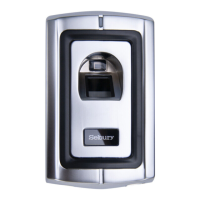
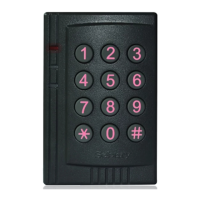
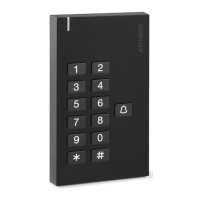
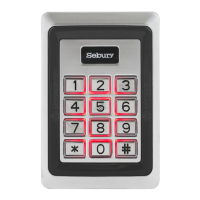
B6 Plus Series Standalone Access Controller User Manual V1.0
Sebury Technology Co., Ltd http://www.sebury.com.cn
第 2 页
Content
1 Overview ................................................................................................................................................................................................ 4
1.1 Introduction .................................................................................................................................................................................. 4
1.2 Function features ........................................................................................................................................................................ 4
1.3 Functional unit ............................................................................................................................................................................. 4
1.4 Technical parameters ................................................................................................................................................................. 5
1.5 Applicable models...................................................................................................................................................................... 5
2 Installation, wiring and debugging .............................................................................................................................................. 5
2.1 Installation ..................................................................................................................................................................................... 5
2.2 Wiring ............................................................................................................................................................................................. 6
2.3 Debugging .................................................................................................................................................................................. 13
3 Getting Started ................................................................................................................................................................................... 13
3.1 Enter management menu operation mode ................................................................................................................... 14
3.2 Change admin password ....................................................................................................................................................... 14
3.3 Set controller to Single-door mode .................................................................................................................................. 14
3.4 Set door opening time to 2S................................................................................................................................................ 14
3.5 Add User Card............................................................................................................................................................................ 14
3.6 Add User PIN .............................................................................................................................................................................. 14
3.7 Exit Management menu operation mode ....................................................................................................................... 15
3.8 User open door ......................................................................................................................................................................... 15
4.Basic Functions .................................................................................................................................................................................. 15
4.1 Management menu operations .......................................................................................................................................... 15
4.1.1 Change Admin Password ............................................................................................................................................... 15
4.1.2 Set or delete Super-open-password ......................................................................................................................... 16
4.1.3 Set admin card ................................................................................................................................................................... 16
4.1.4 Delete admin card ............................................................................................................................................................ 16
4.1.5 Set Machine Mode ........................................................................................................................................................... 16
4.1.6 Limits types of reading card ......................................................................................................................................... 17
4.1.7 Restore to default settings ............................................................................................................................................ 17
4.1.8 Add User .............................................................................................................................................................................. 17
4.1.9 Delete user .......................................................................................................................................................................... 18
4.1.10 Set open door methods .............................................................................................................................................. 18
4.1.11 Set Multi-card to open door ...................................................................................................................................... 18
4.1.12 Set lock working mode ................................................................................................................................................ 19
4.1.13 Set Limits User Mode ................................................................................................................................................... 19
4.1.14 Set Open-time ................................................................................................................................................................. 19
4.1.15 Set notification to close door.................................................................................................................................... 19
4.1.16 Set Alarm-time ................................................................................................................................................................ 19
4.1.17 Set Anti-dismantle alarm function .......................................................................................................................... 19
4.1.18 Set alarm or doorbell output function................................................................................................................... 20
4.1.19 Set Anti-crack function ................................................................................................................................................ 20
4.1.20 Set LED indicator light mode..................................................................................................................................... 20


 To Next Page