Setting software password᧶Input password and confirm setting.
Setting language:᧶Select “Chinese or English”, then click “Set”.
8.1.2 All Employee Info Management
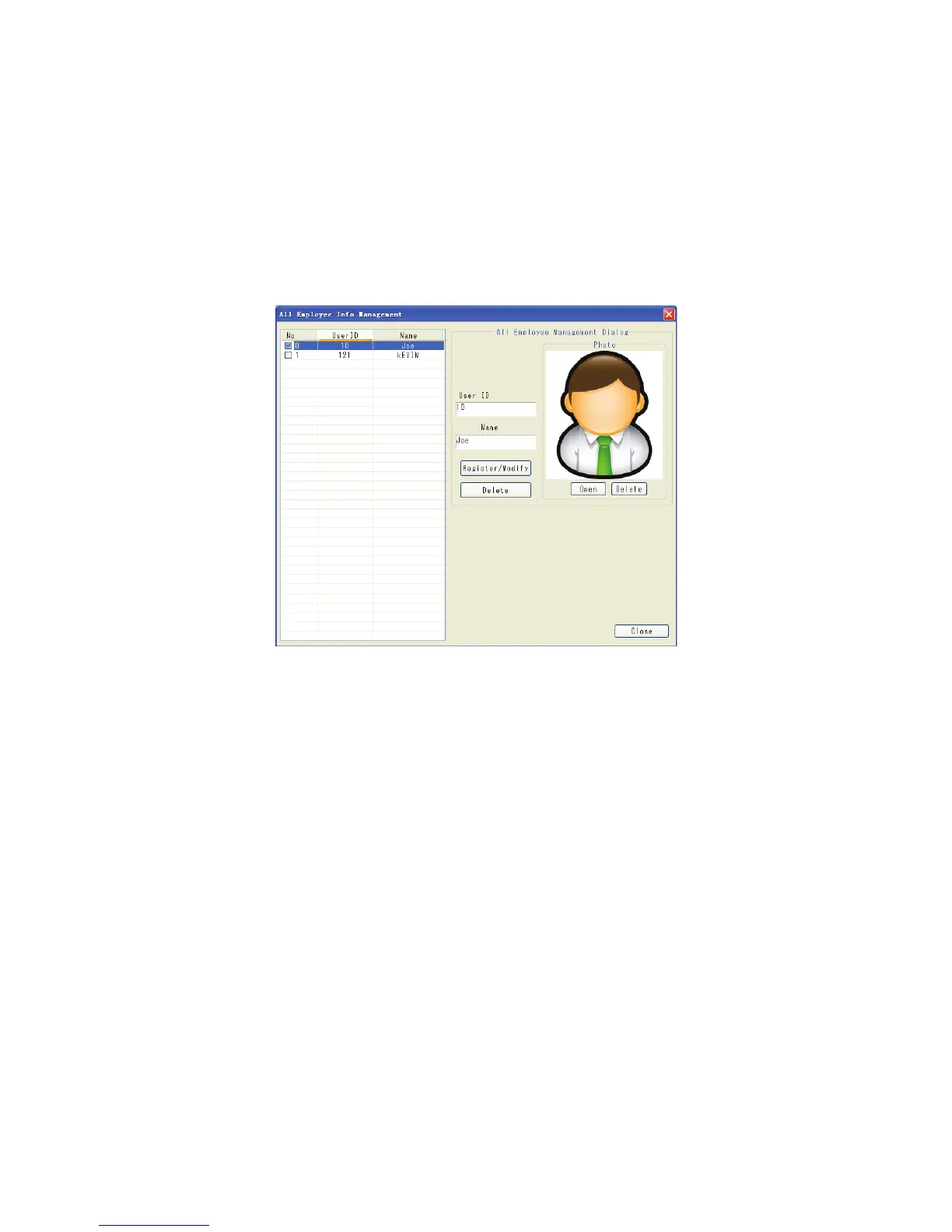
Click “All Employee Info Management” in the main interface᧶
Figure 4
a) To add new employee᧶
Input ID, name and picture (requires *.bmp)
b) To modify employee information
Select the employee to be modified, change the relevant
information and click “Modify”.
Note
If modify ID number, should delete the employee first then input again.
c) To delete employee information: select the employee to be deleted then click “Delete”.
After modifying & keeping employee information management, click “Close” to ESC.
8.1.3 Device Management
Click “Device Management” in the main interface of software᧶



 To Next Page