16
4. Operation
Correct weighing
– Press the Start key with no load on the
scale.
SE(A, 88888 and 0.000 appear con-
secutively in the display. The scale is
then automatically set to zero and ready
for use.
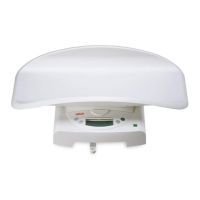
– When weighing infants: Place the in-
fant on the tray, ensuring that the child
lies as still as possible.
Important!
The maximum additional weight is 10 kg
(model 384) / 20 kg (model 385) in weigh-
ing range 1 and 20 kg (model 384) / 50 kg
(model 385) in weighing range 2. The max-
imum weight which can be displayed is re-
duced by the weight of the objects already
placed on the scale.
– When weighing children able to
stand up: Remove the tray as de-
scribed (see “Setting up the scale” on
page 15).
Note:
Check the secure positioning of the base.
Place the child on the scale and make sure
he/she keeps still.
– Read the weighing result off the digital
display.
Note:
The scale must not be subjected to
weights exceeding the maximum load
specified!
– To switch off the scale, press the Start
key again.
Automatic switch-off/economy mode
The scale remains ready for weighing for approx. 20 seconds after being switched on.
Once weighing has been performed, the value is displayed for approx. 2 minutes until the
scale switches off automatically.



 To Next Page