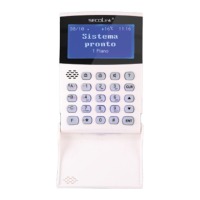
Short user manual
KM20B, KM20BT keypadsKM20B, KM20BT keypads
Intruder alarm system
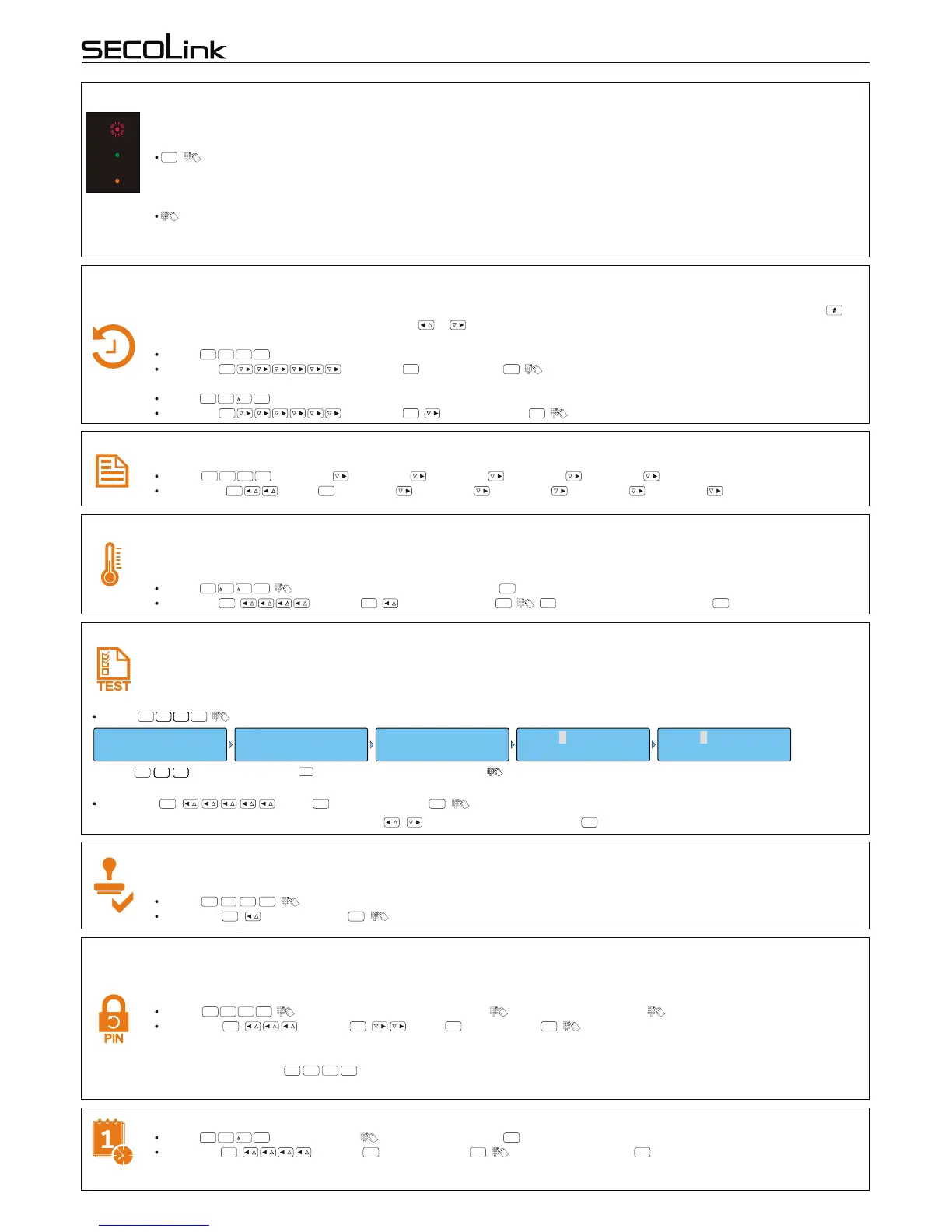
During an alarm occurrence the keypad screen will display a message “Alarm!!!” with an explanation and reasons that caused it.
Red alarm LED light will turn on, the siren will start to sound aloud, and a report about the alarm will be sent to CMS or (and) the
user. There are two ways to clear the alarm and turn off the red colored LED light.
, - this type of clearing will stop the siren sound, turn off the red LED light, and the system will return to the prior pre-
alarm status. The system will cause an alarm if the system has a smoke detector and an alarm was caused by smoke from
domestic reasons whether it was armed or disarmed. It is possible to clear this type of alarm by bypassing the smoke detector
(see page 3, "Bypassing zone - B").
- this type of clearing will stop the siren sound, turn off the red LED light, and the system will be disarmed, even if it was
armed previously by entering the PIN code. It is not recommended to use a PIN code for alarm clearing when all partitions
(areas) controlled by the user are disarmed due to a possible casual arming.
CLR
Alarm clearing
trouble
armed
alarm
Event log review – F30, F31
All events related to protected premises and statuses of the system are stored in the event log. This log will display all events
chronologically and includes information such as types of alarms, troubles or breakages, control events, and more. Use key
to switch between different dates and times. Use or keys to view next or previous events.
Alarm events:
F-key: .
via Menu: Event Log , Alarm Events , .
Fault events:
F-key: .
via Menu: Event Log , Trouble events , .
F
3
0
ENT
ENT ENT ENT
F
3
1
ENT
ENT ENT ENT
Electronic notebook (memo) review - F09
An installer may include all important contact information (e.g., phone number, email) on your keypad. To review:
F-key: , [1 record] , [2 record] , [3 record] , [4 record] , [5 record] .
via Menu: Memo , [1 record] , [2 record] , [3 record] , [4 record] , [5 record] .
F
0
9
ENT
ENT ENT
Temperature correction on keypad display – F11 (only KM20BT)
If the keypad shows an incorrect environment temperature it is recommended to make temperature corrections. This can be
done by entering the value of the temperature measured with domestic thermometers. There are two ways to correct (update)
temperature settings:
F-key: , , enter temperature value and press .
via Menu: , Settings , Temperature Co , , , (enter temperature value) .
F
1 1
ENT ENT
ENT ENT ENT ENT ENT
Sensor operation testing, testing zones – F22
Violated zones (#) can be checked by pressing the , keys. To end testing press .
CLR
It is recommended to perform sensor operating testing at least once per month. During testing it will be necessary to make some
type of violation in order to check the functionality of available sensors. For example: Opening a door or windows with magnetic
contacts, stimulating movement near the motion sensors, or by hard clapping of hands to test the glass break detectors. There
are two ways to begin testing:
12/09 08:11 ....
READY TO ARM
F - key F22
Testing ZONES
Press keys.
F
2222 2222
Press key.
ENT
Enter your PIN code .
PIN:ÜÜÜÜ Door Door
Burg. Zone Test: Zone:12345 Zone:#2345
Testing zone is not
violated.
Testing zone is violated.
F-key: , .
F
2222 2222
ENT
via Menu: , Tests , Burg. Zone Tes , .
ENT ENT ENT
Permission to make changes of the system (service mode entry) – F33
An installer will have a permission to make changes of the system settings only after a user approves it by entering a PIN
code for security reasons. There are two ways to allow the installer to begin settings changes:
F-key: , .
via Menu: , Service mode , .
F
3 3
ENT
ENT ENT
Activated User PIN code changing – F20
A manufacturer will provide in a sequential order generated default 4-digit PIN code of the system, unique to each user and
related to his number in our system. For example: First users default PIN code will be 0001, second users default PIN code will
be 0002, and so on. It is strongly recommended to change your default PIN code in one of these two ways:
F-key: , enter your present PIN, New PIN:, enter new PIN, Repeat:, repeat the new PIN.
via Menu: , Settings , Users , Change PIN , enter your present PIN, New PIN:, enter new PIN,
Repeat:, repeat the new PIN, Changed.
For example: User of the system has a PIN code 1234. This code seems unsafe to him and he desires to change it to 3762. He
should start by pressing function keys, entering 1234, then entering 3762, and 3762 for a confirmation. PIN code
has been changed.
F
2
0
ENT
ENT ENT ENT ENT
F
2
0
ENT
Setting Date and time – F21
F-key: , Date and Time , (enter date and time) .
Via Menu: , Settings , Date and Time , , (enter date and time) .
F
2
1
ENT ENT
ENT ENT ENT ENT
Page 4


 To Next Page
 Loading...