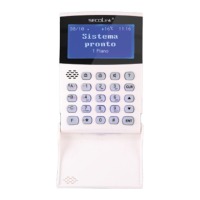
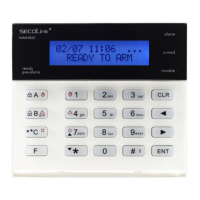
Short user manualIntruder alarm system
KM24, KM24A, KM24G keypadKM24, KM24A, KM24G keypad
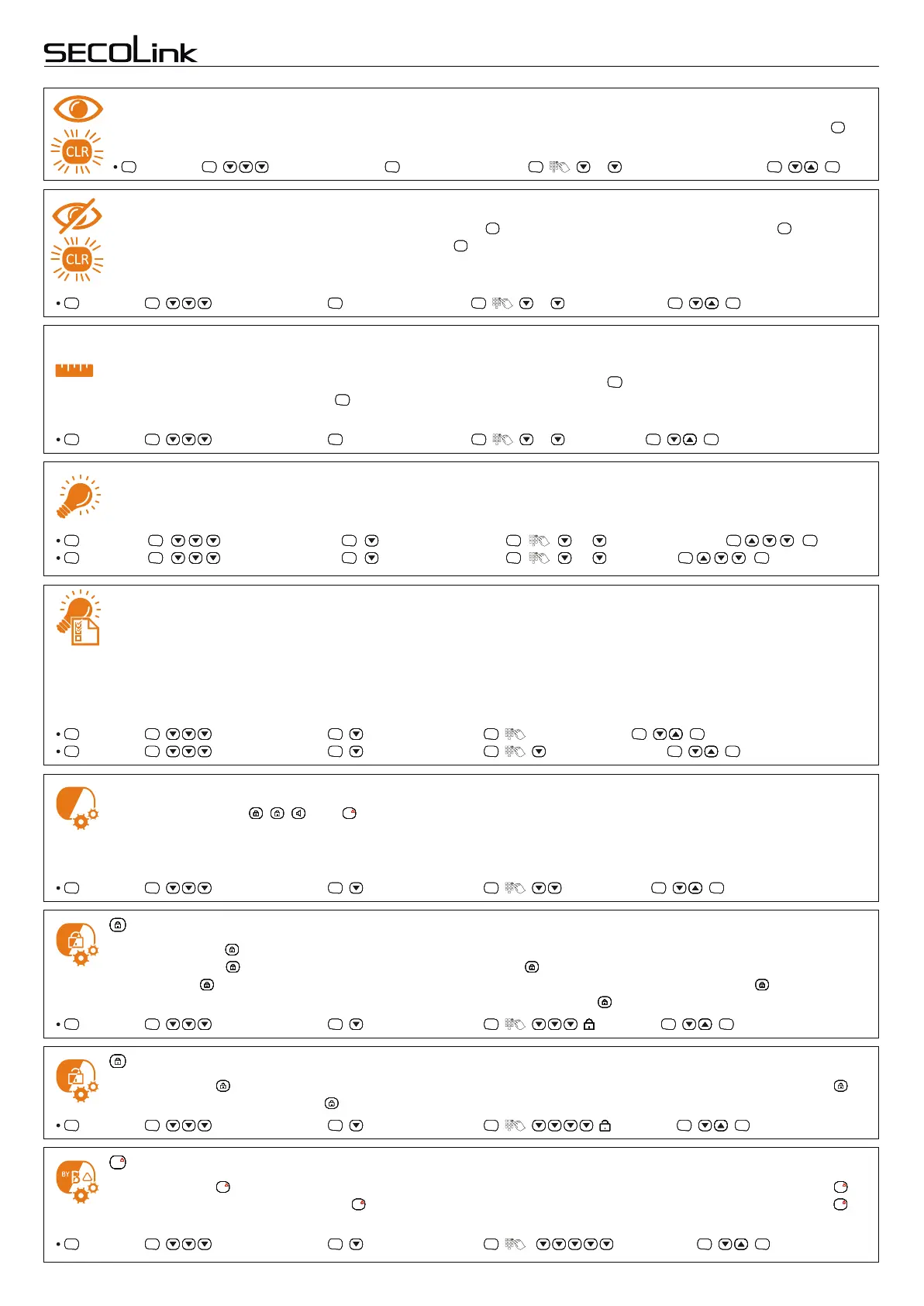
Trouble memory
, Settings , Keypad Settings , Interface Settings , , ... Use Trouble memory , , .
ENTENTENTENT ENTENTENTENT ENTENTENTENT ENTENTENTENT ENTENTENTENT ENTENTENTENT
The keypad has an option to inform a user about system troubles, which can also be seen by a green flashing key.
It will not show trouble memory by default and if it is necessary to view it, follow the steps described below:
CLRCLRCLRCLR
Hide troubles
To arm the system in a usual way is impossible when the key is steady green. The user must press twice to arm
the system. The keypad will hide the trouble and the key will start to blink rapidly. Within 30 seconds allocated time
it will be possible to arm the system in a usual way. To permanently hide system trouble and to avoid previously
described arming procedure, it is recommended to change settings in the menu as described below:
CLRCLRCLRCLR CLRCLRCLRCLR
CLRCLRCLRCLR
PIN length
User has an option to choose the length of the PIN code. The following options are available: Fixed 4 digits, Fixed 5
digits, Fixed 7 digits, and Not fixed. The keypad automatically presses the key after the last digit of the fixed PIN
ENTENTENTENT
, Settings , Keypad Settings , Interface Settings , , ... , Hide Troubles , , .
ENTENTENTENT ENTENTENTENT ENTENTENTENT ENTENTENTENT ENTENTENTENT ENTENTENTENT
, Settings , Keypad Settings , Interface Settings , , ... PIN Length , , .
ENTENTENTENT ENTENTENTENT ENTENTENTENT ENTENTENTENT ENTENTENTENT ENTENTENTENT
PIN
Backlight modes of LCD display and keypad keys
Various settings of LCD screen and keypad backlight allow the user to customize the illumination to match different
environments. For example, LCD backlight can be turned on at all times in places where it is necessary to always
, Settings , Keypad Settings , Light & Indication , , LCD Backlight , , .
, Settings , Keypad Settings , Light & Indication , , Keypad backlight , , .
ENTE NTENTENT ENTENTENTENT ENTENTENTENT ENTENTENTE NT ENTE NTENTENT ENTE NTENTENT
ENTE NTENTENT ENTENTENTENT ENTENTENTENT ENTENTENTE NT ENTENTENTE NT ENTENTENTE NT
LCD display brightness and contrast
The brightness and contrast of LCD display can be modified to correspond to premises lighting conditions and user
needs. These settings can be modified in the menu as follows:
, Settings , Keypad Settings , Light & Indication , , ... LCD brightness, , .
, Settings , Keypad Settings , Light & Indication , , ... Contrast, , .
ENTENTENTENT ENTENTENTENT ENTENTENTENT ENTENTENTENT ENTENTENTENT ENTENTENTENT
ENTENTENTENT ENTENTENTENT ENTENTENTENT ENTENTENTENT ENTENTENTENT ENTENTENTENT
see the status of the system, or the keypad can be illuminated after any key is pressed or zone is being violated. Available
settings of LCD display and keypad backlight are as follows: Always – backlight is always ON; By zone - backlight is turned
ON, when at least one of the following events occurs: an entry/exit delay is in progress; an alarm is triggered; either a Chime
zone or a zone marked with "+" sign in the "Events from zones" list is violated; and any of the keypad keys is pressed.
key LED
Backlight of the key can be customized to match different environments or situations that occur. Available
settings: Off - the key Green LED is always Off; Prompt - the key Green LED blinks when the system is ready to
, Settings , Keypad Settings , Light & Indication , , [ ] key LED , , .
ENTE NTENTENT ENTENTENTENT ENTENTENTENT ENTENTENTE NT ENTE NTENTENT ENTE NTENTENT
, Settings , Keypad Settings , Light & Indication , , Status LEDs , , .
ENTE NTENTENT ENTENTENTENT ENTENTENTENT ENTENTENTE NT ENTE NTENTENT ENTE NTENTENT
Status LEDs
Colored backlight of , , , and keypad keys represents system status or prompts and can be customized to
match different situations. Available settings: Off; Always – status LEDs are always visible; By zone – status LEDs
B
!
BY
B
!
BY
B
!
BY
B
!
BY
B
!
BY
B
!
BY
B
!
BY
B
!
BY
are visible when at least one of the following events occur: an entry/exit delay is in progress; an alarm is triggered; either a
“chime” zone or a zone marked by "+" sign in the Events from zones list is violated; or any keypad key is being pressed.
be armed; Armed - the key Green LED is steady On when the system is armed; Armed and Prompt – the key Green LED
is steady On when the system is armed. When the system is ready to be armed, the key LED blinks.
code is entered. The user must press the key after the last not fixed PIN code digit is entered. PIN code length can be
changed in the menu as follows:
ENTENTENTENT
key LED
Backlight of the key can be customized to match different situations that occur. Available settings: Off - the key
LED is allways Off; Prompt – the key LED blinks when the system is armed and is ready to be disarmed.
, Settings , Keypad Settings , Light & Indication , , [ ] key LED , , .
ENTENTENTENT ENTENTENTENT ENTENTENTENT ENTENTENTENT ENTENTENTENT ENTENTENTENT
key LED
B
!
BY
B
!
BY
B
!
BY
B
!
BY
B
!
BY
B
!
BY
B
!
BY
B
!
BY
Backlight of the key can be customized to match different situations that occur. Available settings:Off – the key
LED is allways Off; Not Ready – the key LED blinks, if there are violated zones; Zone Bypass Status – the key
B
!
BY
B
!
BY
B
!
BY
B
!
BY
B
!
BY
B
!
BY
B
!
BY
B
!
BY
B
!
BY
B
!
BY
B
!
BY
B
!
BY
B
!
BY
B
!
BY
B
!
BY
B
!
BY
B
!
BY
B
!
BY
B
!
BY
B
!
BY
B
!
BY
B
!
BY
B
!
BY
B
!
BY
B
!
BY
B
!
BY
B
!
BY
B
!
BY
B
!
BY
B
!
BY
B
!
BY
B
!
BY
!
, Settings , Keypad Settings , Light & Indication , , [B] key LED , , .
ENTENTENTENT ENTENTENTENT ENTENTENTENT ENTENTENTENT ENTENTENTENT ENTENTENTENT
LED is ON when there are bypassed zones.
Page 6


 To Next Page
 Loading...