1
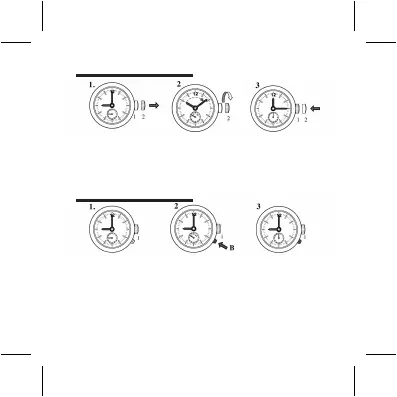
SET THE TIME – HOUR, MINUTE, AND 24-HOUR
1. Set the crown at position 1.
2. Press B step-by-step to advance the hour hand of the second
time zone until the desired time is set.
3. Stop pressing the button after fi nished the setting.
Attention: When using push button B to set the second time zone hour, the centre
minute hand must be set to between 55th minute and 05th minute at any hour.
2
SET THE SECOND TIME ZONE
1. Pull the crown out to position 2.
2. Turn the crown clockwise to set the hour, minute and 24-hour hands to
the desired time.
3. Push the crown back to position 1.



 To Next Page