3
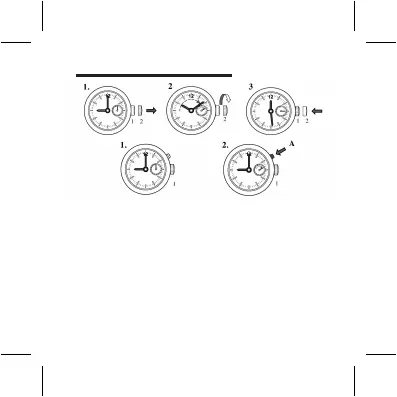
SET THE DATE
1. Pull the crown out to position 2.
2. Turn the crown clockwise. Continue to turn the crown until the desired
date is set.
3. Push the crown back to position 1.
Quick correction of Date:
1. Set the crown at position 1.
2. Press A step-by-step to advance the date until the desired date is set.
Attention: The date advances at 00:00 midnight, not 12:00 noon.



 To Next Page