Sleep
Press Slee p Mon itor icon, We ar wa tch on sleepin g tim e
conne ct wi th th e APP, Sleep Re cor d will show detail on t he
Phone AP P
Weathe r
Press Wea ther icon, Rea d tod ay we ather (Keep yo ur wa tch
conne ct wi th th e APP)
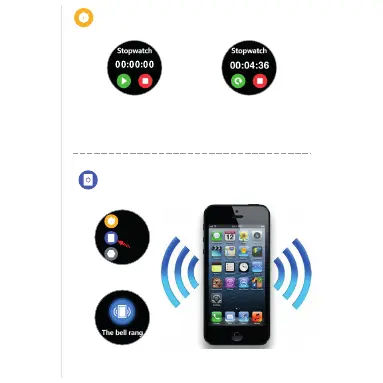
Stopwatch
Press Stop Watch ic on, P res s “strat” Start on co unt ing t ime
1/100 seco nd. P ress “ Stop” to recor d or Pr ess “ Resume”
to start cou nti ng ag ain
Find Phone
Find Phone
The watch will show “The bell rang”
icon. Than your Phone will Virbate.
Fin d Phone
Set tings
Sto pwatc h
One touch on Find Phone
Press Heart Rate icon, Start heart rate record, Wear position
must right. After 12 second Heart Rate record will show.
Heart Rate



 To Next Page