EasyManua.ls Logo

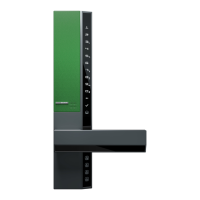
Securam V8 - Front Panel Functions; Slide Cover Operation; Finger Vein Reader; Lever Handle

Securam V8
14 pages
Print Icon
To Next Page IconTo Next Page
To Previous Page IconTo Previous Page
Loading...
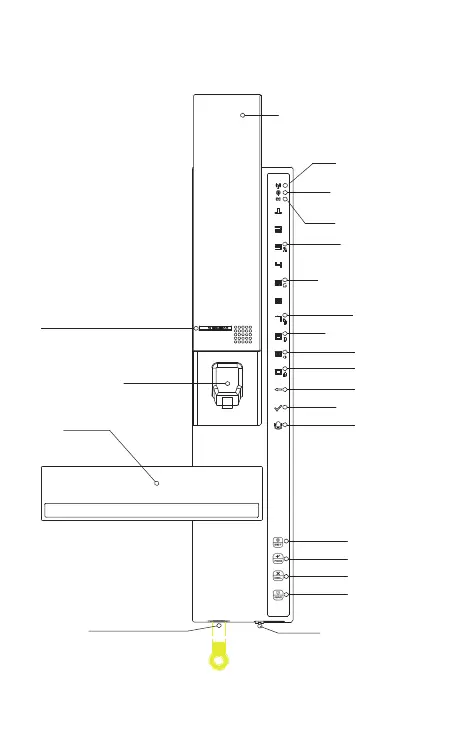
Front Panel Function
SECURAM logo plate
Finger vein reader
Lever handle
Emergency key hole
Slide cover
Push up the slide cover
to verify finger. Turn the handle
Mobile wireless
connection indicator
Internet wireless
connection indicator
Low battery indicator
Set language
Reset to factory default
Restrict visitor
Authorize your phone
Set volume
Allow visitor
Cancel operation
Operation successful
Door bell
Setting
Add user
Delete user
Armor system
Battery case screw
Loosen the screw counterclockwise
and then pull out the battery case
and the slide cover returns to
the closed position automatically

Related product manuals