Note
Implementations of protocols such as H.323 can vary, so if you are experiencing
problems you can try disabling the module.
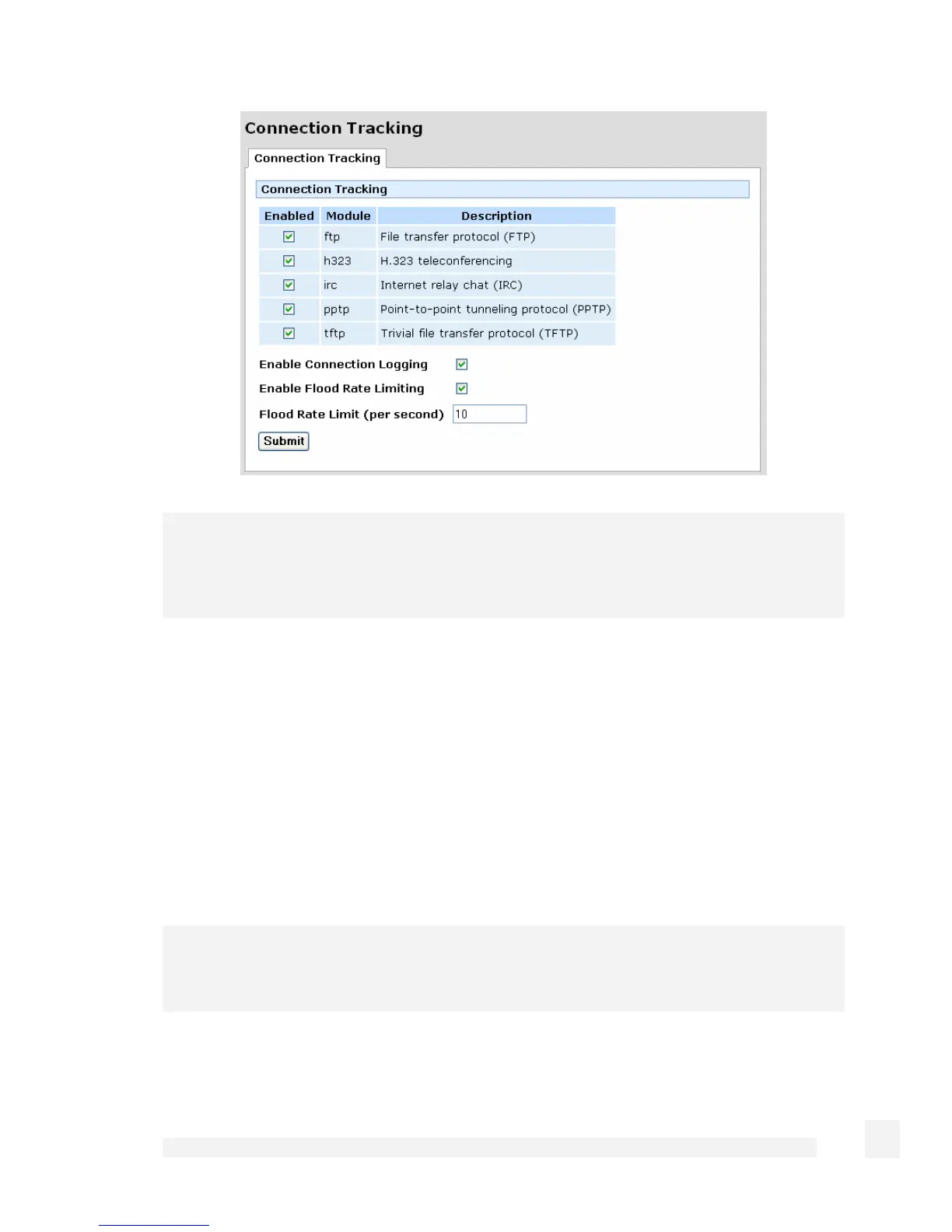
Check Enable Connection Logging to log connections to the system log as they are
established and expire; however, this may result in a lot of log messages if you have a
large or busy network.
Check Enable Flood Rate Limiting to enable flood rate limiting for new connections on
Internet interfaces. Attempts to initiate new connections that exceed the defined rate limit
will be logged and dropped.
Enter Flood Rate Limit (per second) this is the number of connections per second to
allow before dropping new connections. You will need to increase or disable this setting if
you are port forwarding to a busy internal server.
Note
Can be a decimal number equal to or greater than 1
162
Firewall



 To Next Page