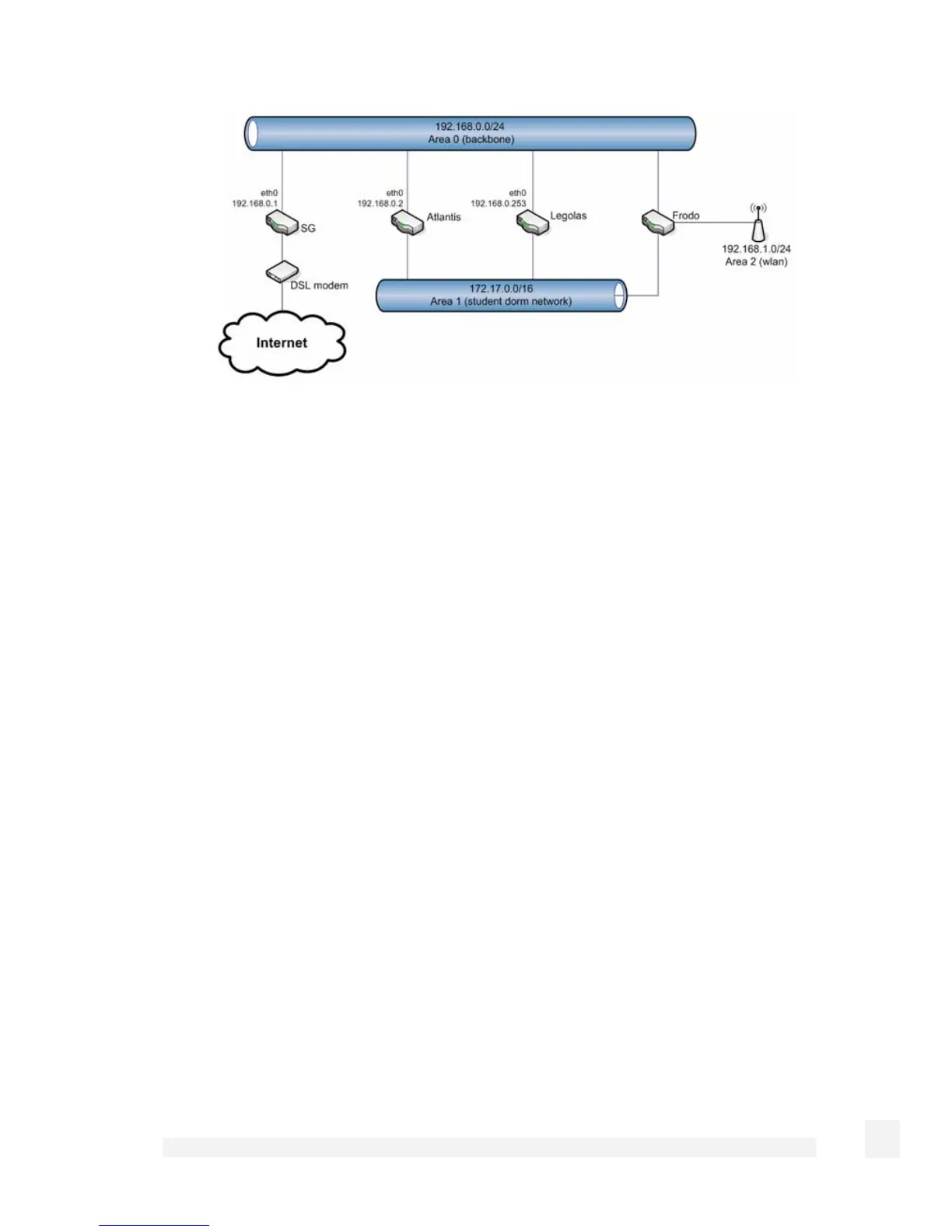
The SG is configured to exchange routes with the routers named Atlantis, Legolas and
Frodo.
Ensure you have enabled OSPF under Route Management, then open zebra.conf and
ospfd.conf for editing as described in the Route management section.
In zebra.conf, enter:
hostname sg
! Uncomment and set telnet/vty passwords to enable telnet
access on port 2602
#password changeme
#enable password changeme
# Enable multicast for OSPF
interface eth1
multicast
! Example static default route for Internet connection
#ip route 0.0.0.0/0 212.170.21.129
In ospfd.conf, enter:
hostname sg
111
Network Setup



 To Next Page