DHCP Server
Note
To configure your SnapGear unit as a DHCP server, you must set a static IP address and
netmask on the network interface on which you want the DHCP server to run; see the
Direct Connection section of the chapter entitled Network Connections.
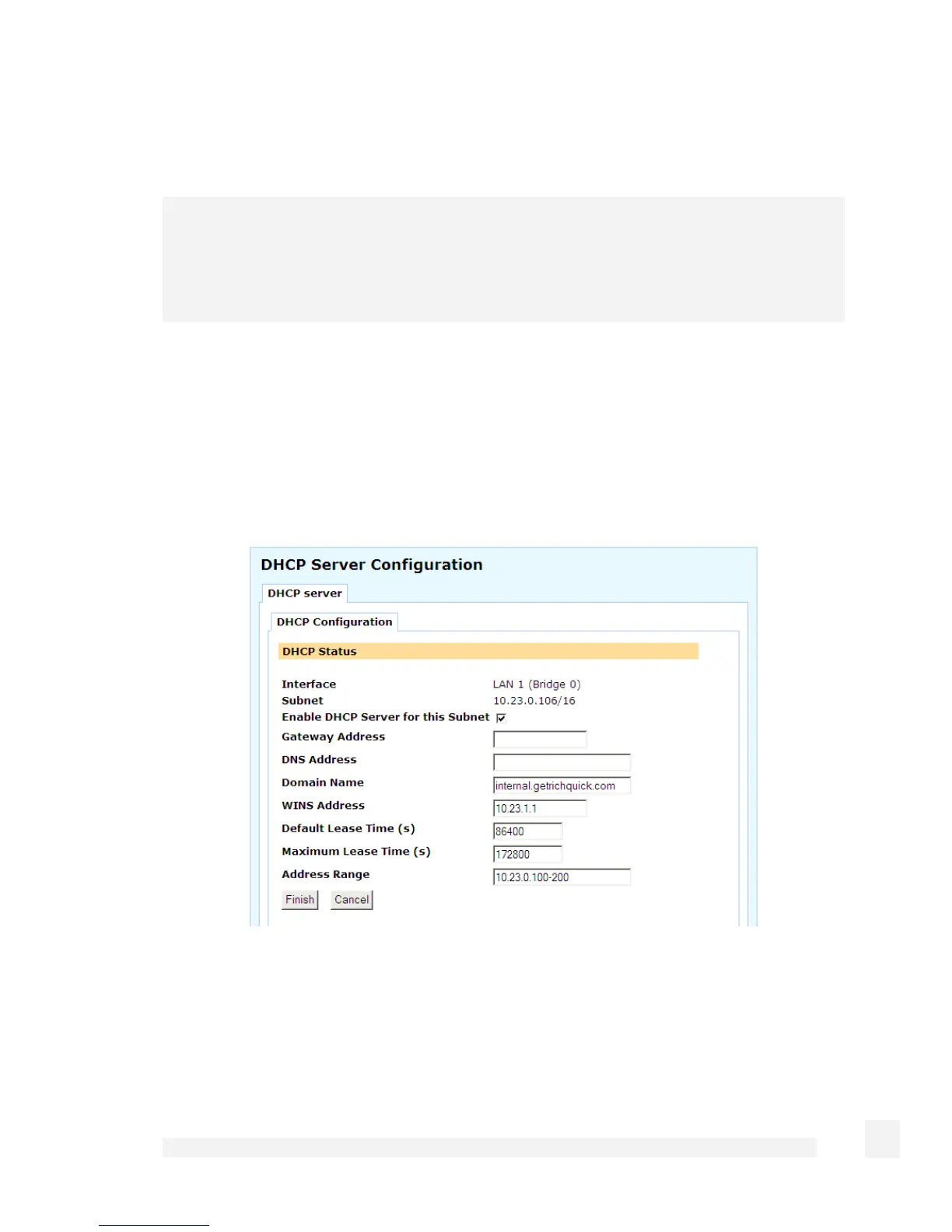
To begin configuring the SnapGear unit’s DHCP server, select DHCP Server from the
Network Setup section of the web management console’s main menu.
DHCP configuration
Click the Edit icon next to the network interface on which you wish to edit or enable a
DHCP server.
To configure the DHCP server, follow these instructions.
Check the Enable DHCP Server for this Subnet checkbox.
Enter the Gateway Address to issue the DHCP clients. If this field is left blank, the
SnapGear unit’s IP address is used.
118
Network Setup



 To Next Page