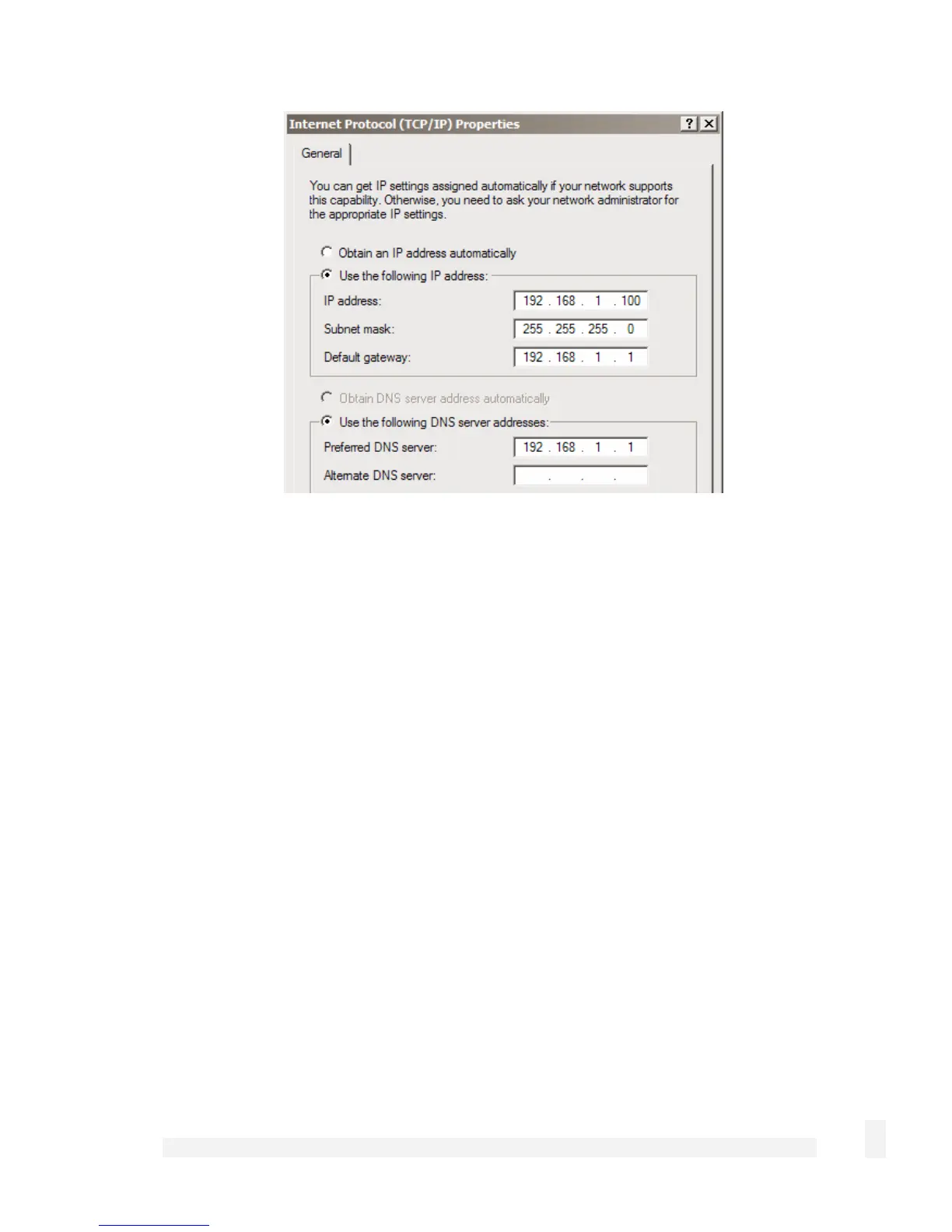
Enter the following details:
IP address is the second free IP address that is part of your LAN’s subnet range.
Subnet mask is you LAN’s subnet mask.
Default gateway is your LAN’s default gateway IP address.
Preferred DNS server is the IP address of the DNS server used by PCs on your
LAN.
Click OK.
Attach your SnapGear unit’s Ethernet port to your LAN’s hub.
Quick setup is now complete.
Disabling the reset button on your SnapGear PCI appliance
For convenience, the SnapGear unit ships with the rear panel Reset button enabled.
This allows the SnapGear unit’s configuration to be reset to factory defaults.
From a network security standpoint, it may be desirable to disable the Reset switch after
initial setup has been performed. This is accomplished by removing the jumper linking
CON2 on the SnapGear unit. This jumper is labeled Remove Link to Disable Erase.
41
Getting Started



 To Next Page