Change to:
##enableGenericeMMCFlasher:
##makesure,thesetoolsareinstalled:dosfstoolsrsync
cmdline=init=/opt/scripts/tools/eMMC/init‐eMMC‐flasher‐v3.sh
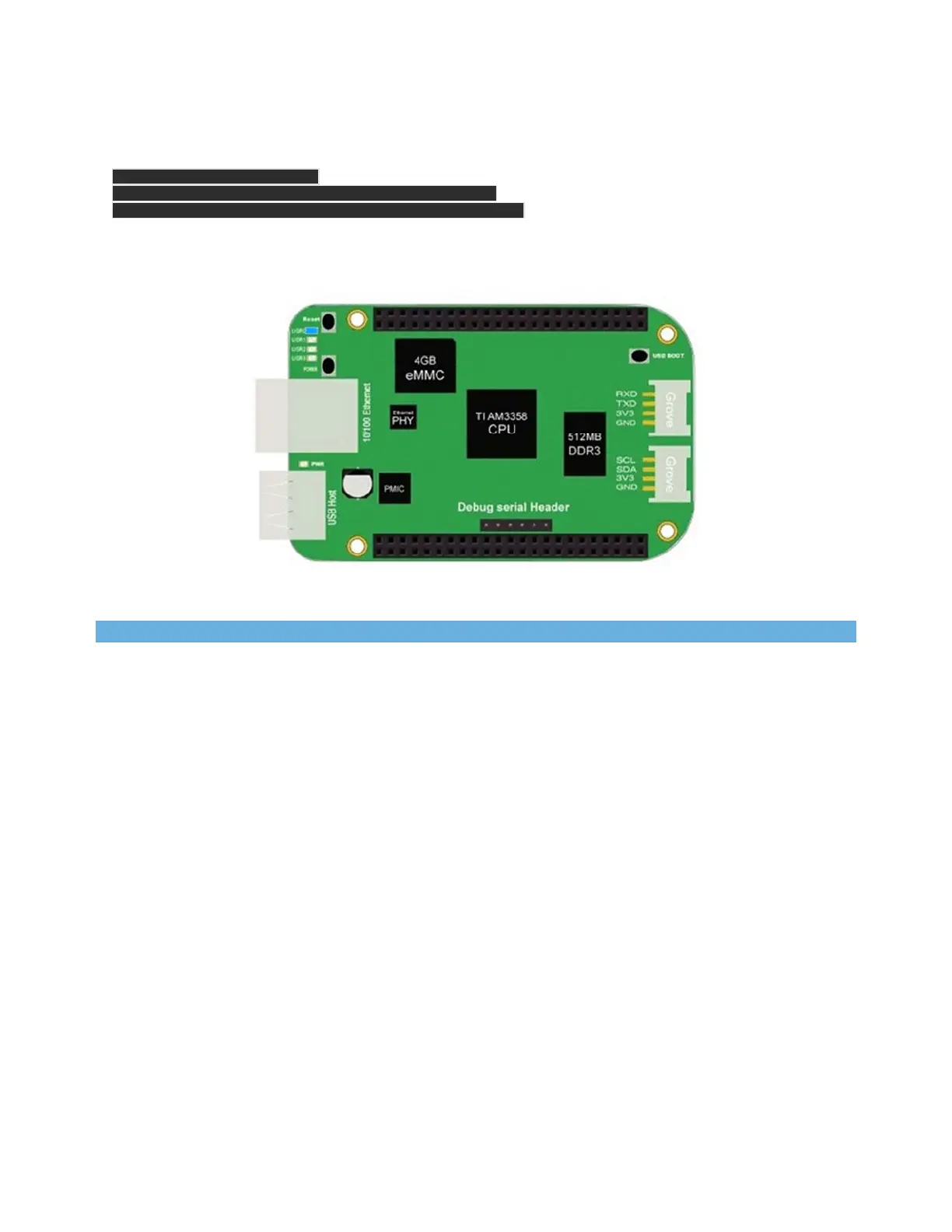
Then you will find the 4 user led light as below:
Note
If you don’t find the upper tracing light, please power down and power up the board.
When the flashing is complete, all 4 USRx LEDs will be off. The latest Debian flasher images
automatically power down the board upon completion. This can take up to 10 minutes. Power-
down your board, remove the SD card and apply power again to be complete.
Program Grove Module with Mraa and UPM
We have provided Mraa library and UPM library to make it easy for developers and sensor
manufacturers to map their sensors & actuators on top of supported hardware and to allow
control of low level communication protocol by high level languages & constructs.
What are Mraa and UPM?
Mraa is a C/C++ library with bindings to Python, Javascript and Java to interface with the I/O on
BBG, BBGW and other platforms, with a structured and sane API where port names/numbering
matches the board that you are on. Use of Mraa does not tie you to specific hardware with board


 To Next Page