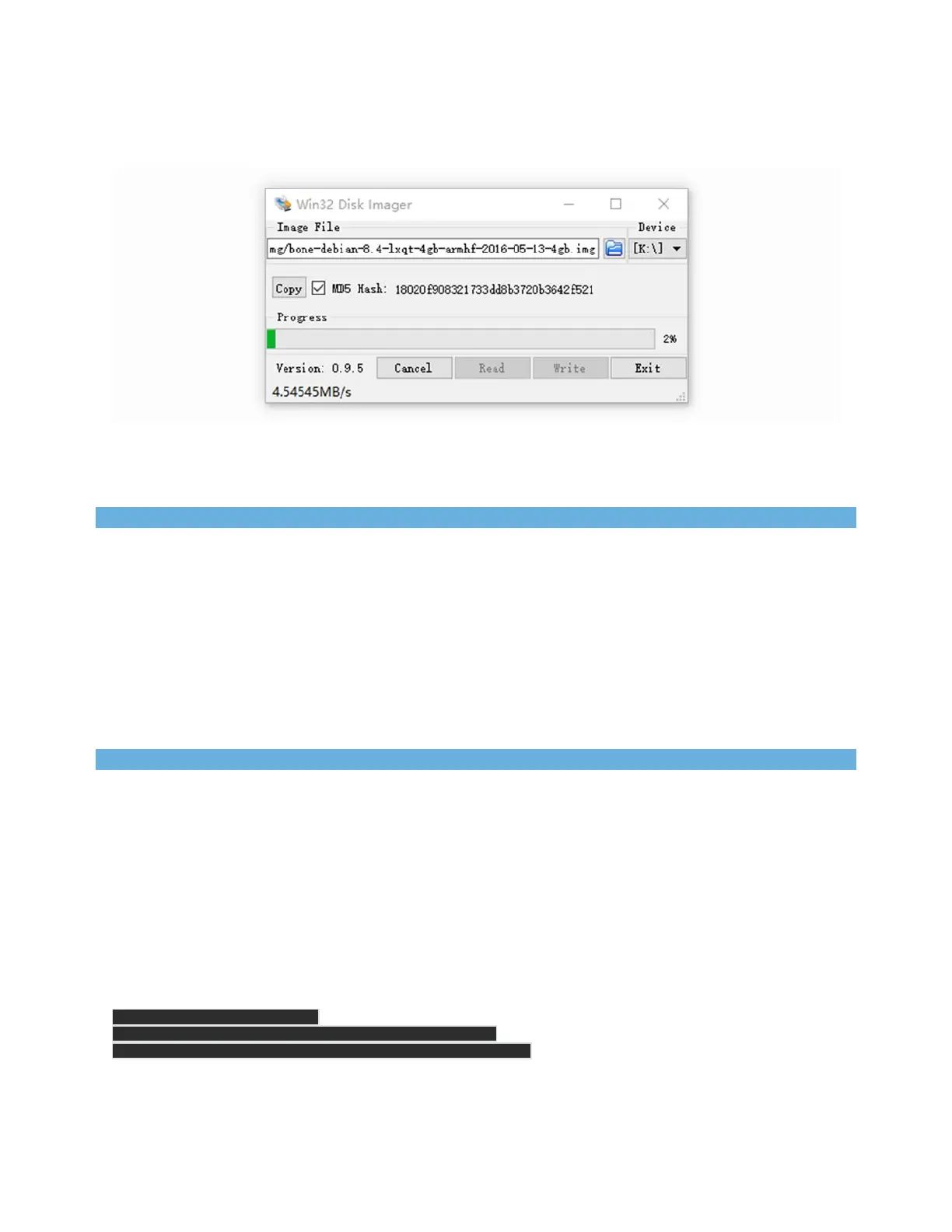
Click on Write button, then the process is started.
Note
You may see a warning about damaging your device. This is fine to accept as long as you are pointing to your
SD card for writing.
You should not have your BeagleBone connected to your computer at this time.
This process may need up to 10 minutes.
STEP5. Boot your board off of the SD card
Insert SD card into your (powered-down first) board. Then the board will boot from the SD card.
Note
If you don’t need to write the image to your on-board eMMC, you don’t need to read the last of
this chapter. Otherwise pleas go ahead.
If you desire to write the image to your on-board eMMC, you need to launch to the board, and
modify a file.
In /boot/uEnv.txt:
##enableGenericeMMCFlasher:
##makesure,thesetoolsareinstalled:dosfstoolsrsync
#cmdline=init=/opt/scripts/tools/eMMC/init‐eMMC‐flasher‐v3.sh


 To Next Page