The file you download will have an .img.xz extension. This is a compressed sector-by-sector
image of the SD card.
STEP2. Install compression utility and decompress the image
Download and install 7-zip. http://www.7-zip.org/download.html
Note
Choose a version that suitable for your system.
Use 7-zip to decompress the SD card .img file
STEP3. Install SD card programming utility
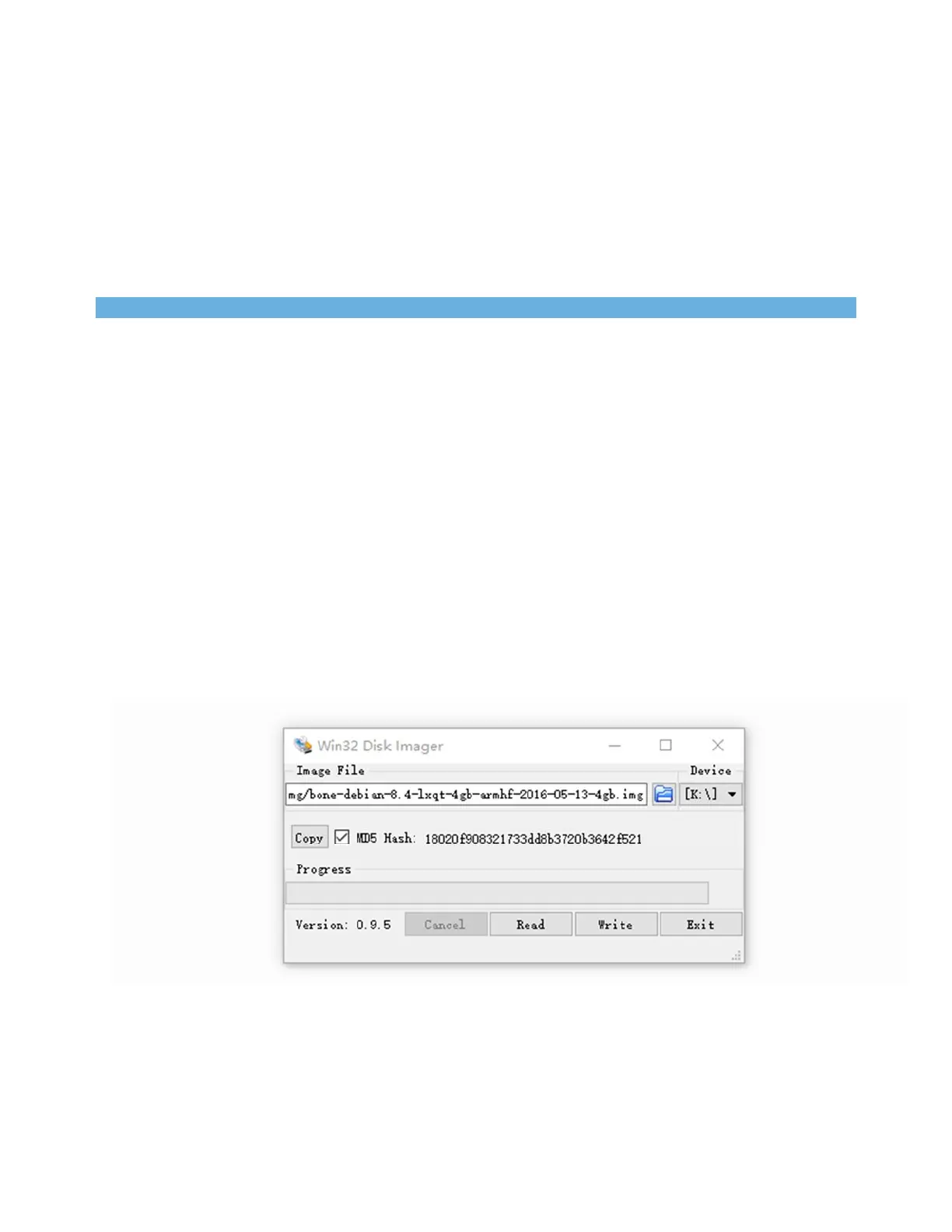
Download and install Image Writer for Windows. Be sure to download the binary distribution.
https://sourceforge.net/projects/win32diskimager/files/latest/download
STEP4. Write the image to your SD card
You need a SD adapter to connect your microSD card to your computer at the first. Then use the
software Image Write for Windows to write the decompressed image to your SD card.


 To Next Page