EasyManua.ls Logo

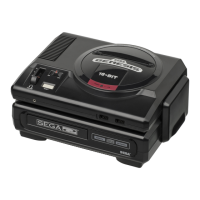
Sega Mega Drive - Operating the System

Sega Mega Drive
82 pages
Print Icon
To Next Page IconTo Next Page
To Previous Page IconTo Previous Page
Loading...
Operating
the
System
SEGA
MEGA
DRIVE
SYSTEM
Cartridge
Cartridge
Slot
MEGA
DRIVE
CONSOLE
Power-On
Indicator
Power
Switch
Control
Port
2
Headphone
Volume
Control
Port
1
Control
Reset
Button
Stereo
Headphone
Jack
Start
Button
Button
C
Button
B
Button
A
Directional
Button
MEGA
DRIVE
CONTROL
PAD
1.
Plug
your
Mega
Drive
Control
4.
Turn
the
power
on.
Pad
into
Control
Port
1
on
the
Console.
The
power
light
should
come
on.
For
two
players,
plug
a
second
Mega
Drive
Control
Pad
5.
If
all
connections
have been
(sold
separately)
into
Control
Port
2.
properly
made,
the
Sega
logo
will
appear,
followed
by
the
title
screen
2.
Turn
the
power
off.
Be
sure
and,
in
some
cases,
a
demonstration
the
power
light
is
not
on.
of
the
game.
3.
When
you
are
using
a
Cartridge,
6.
During
play,
to
reset
the
game
to
the
insert
it,
label
facing
forward,
into
beginning,
press
the
Reset
Button
on
the
cartridge
slot.
Press
it
fully
into
the
Console.
The
title
screen
will
the
slot.
then
appear.

Related product manuals