7
6
STARTING A GAME
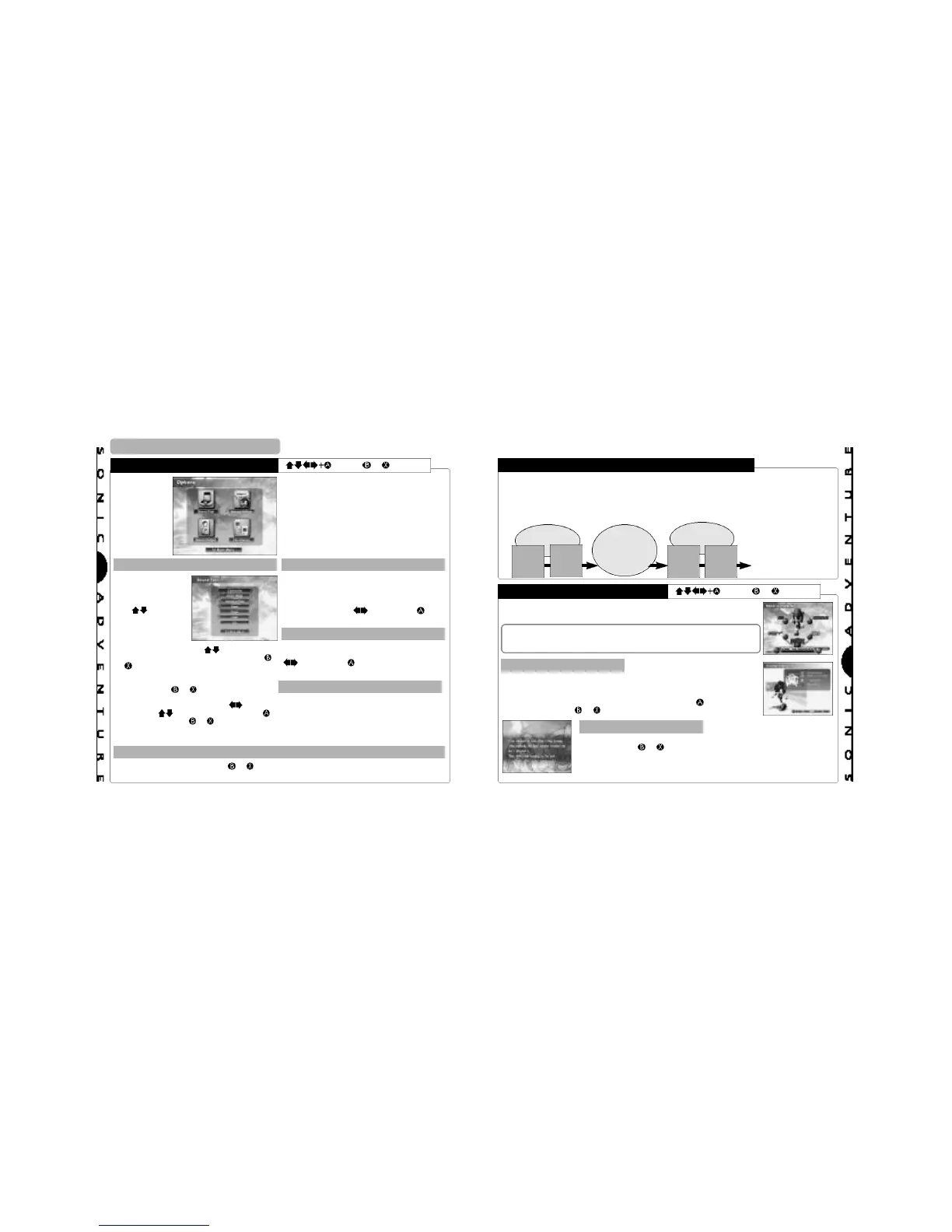
OPTIONS
= Enter, or = Cancel
All settings can be modified.
Select the item that represents
the setting you wish to modify.
SOUND TEST MESSAGE SETTINGS
Select and enter
“Sound Test” to
display the sound
test menu.
Use to select a
category and press
A. The contents of
the selected
category are
displayed as tracks. Use to select a
track and press A to start playback. Press
or to stop playback and return to the
sound test menu.
To return to the main menu, select “To Main
Menu” or press or .
Select “S.E.” to replay specific sound
effects
from any stage in the game. Use to
select
an item and to select numbers. Press
to start playback and or to stop
playback
and return to the sound test menu.
It is possible to modify the settings for the
sound and text messages that occur
throughout the game. Select an item to
display the modification options at the bottom
of the screen. Use to select and to
enter the preferred setting.
SOUND OUTPUT
It is possible to toggle the sound output
setting between “Stereo” and “Mono”. Use
to select and to enter the preferred
setting.
FILE CHANGE
When you want to switch to a different Sonic
Adventure game file or to erase a game file,
select this item to display the memory card
and file selection screens.
RETURN TO THE MAIN MENU
Select “To Main Menu” or press or to return to the main menu.
A
A
D
D
V
V
E
E
N
N
T
T
U
U
R
R
E
E
M
M
O
O
D
D
E
E
ADVENTURE FLOW
CHARACTER SELECTION
= Enter, or = Cancel
The central game of Sonic Adventure is called the “adventure mode”.
The adventure mode is comprised of two “areas”. One area, called the “Adventure Field”,
contains a variety of “Events” that are encountered in the course of the overall adventure
story. The other area is called an “Action Stage”. In an action stage, each individual character
must fulfill a unique “goal” in order to clear the stage successfully. The general flow of the
game can be illustrated as follows:
Event
Action
Stage
Entrance
Event
Action
Stage
Entrance
Adventure
Field
Adventure
Field
Action
Stage
…And so on until the
“Final Stage” for each
character is
successfully cleared.
When you select a character, the items “Game”, “Instruction” and “Cancel”
are displayed. Select one of these items.
Sonic is the only character that can be selected at the start of a new
game. The other characters will become available for play as you
progress through the adventure story. For details, see p.8.
GAME INSTRUCTIONS
Basic control instructions for the selected character are displayed along
with a brief summary of the particular “goal” that the character must
meet to successfully clear the action stages. It is recommended that you
review this information before playing the game. Press to continue to
the next screen and or to return to the previous screen.
STORY SCREENS
These screens provide a short story summary about the selected
character. Press or to return to the character selection screen.
NOTE: These summaries are not displayed the very first time the
character is selected.




 To Next Page