14
www.seuservice.com
Spongebob Squarepants
Config Switch Settings for Production Models
software version: 1.04
Config Switch Settings:
✺ Bold denote default settings
• SW1 & SW2 -- Coins/Game
• OFF - OFF = Payout Table 1 [3,5,1,25]
✺ ON - OFF = Payout Table 2 [6,10,2,50] (Default Setting)
• OFF - ON = Payout Table 3 [12,15,3,25]
• ON - ON = Payout Table 4 [15,25,5,75]
• SW5 -- Mercy Ticket
✺ ON = Enable Mercy Ticket (Default Setting)
• OFF = Disable Mercy Ticket
• SW6 -- Attract Mode
✺ ON = Attract Enabled (Default setting)
• Off = Attract Disabled
• SW8 -- Prize/Ticket Version Setting
• ON = Prize Version
✺ OFF = Ticket Version (Default Setting)
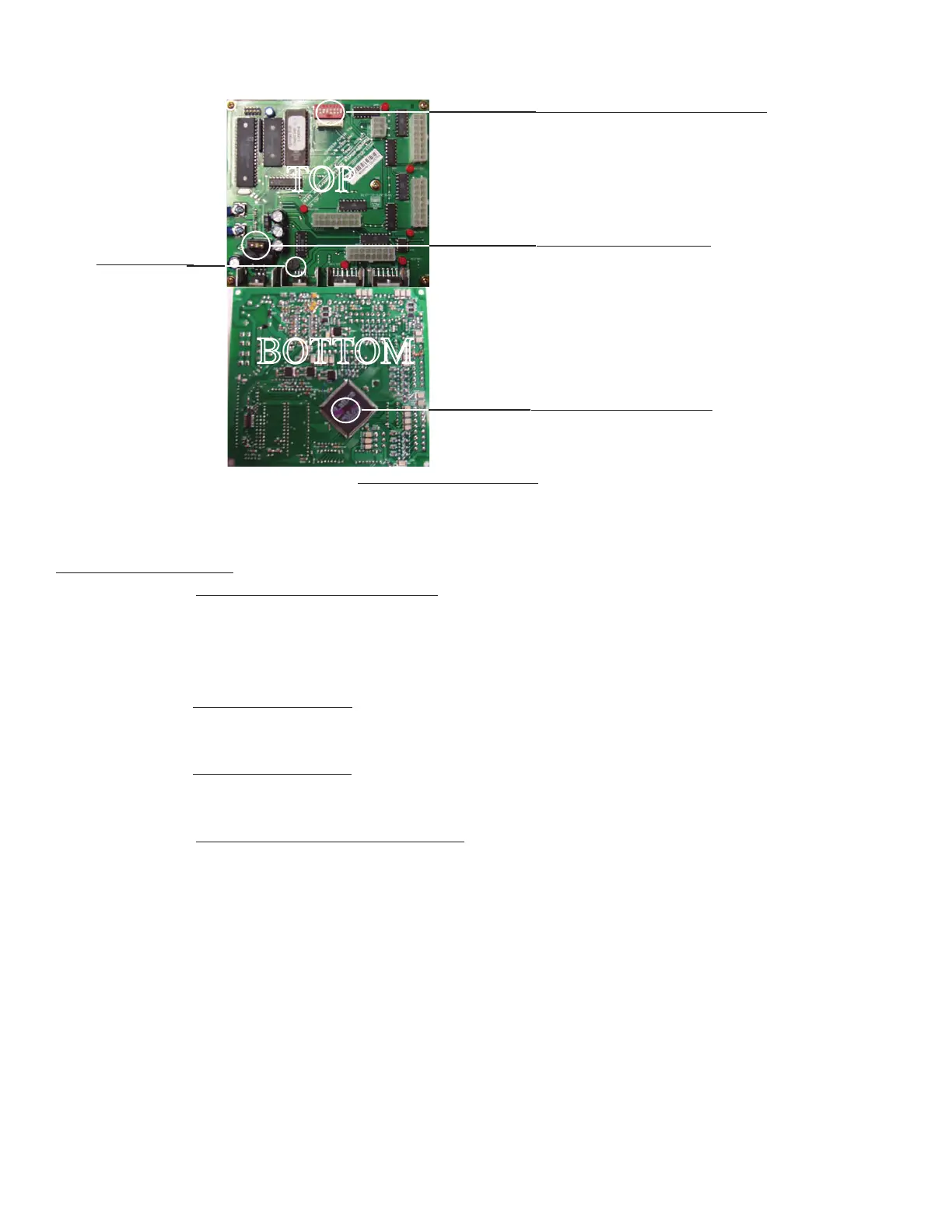
11. Gameboard Config Settings
Conifig (DIP) Switch Location
5 Amp automotive fuse
Available at most auto parts store
Programable Flash Chip
Volume Pot












 To Next Page