EasyManua.ls Logo

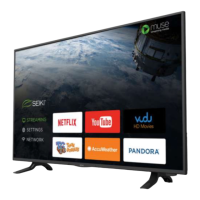
Seiki SE40FYP1T - User Manual

Seiki SE40FYP1T
28 pages
Print Icon
To Next Page IconTo Next Page
Loading...
1
En
-
CONTENTS
Important Safety Instructions 2
Safety Information 3
Preparation 4
What's Included 4
Front View 5
Rear View 6
Installing the Stand 7
Removing the Stand for Wall-Mounting 7
Remote Control 8
Connecting External Devices 9
Customizing TV Settings 10
Initial Setup 10
Navigating the Setup Settings 11
Streaming 12
Media 13
Viewing Photos 13
Listening to Music 14
Source 14
Setup 15
Settings 15
Audio 16
Picture 17
Channel 18
Time 18
Network 19
Lock 21
Parental Control 22
Troubleshooting 24
Maintaining 25
Specication26
Limited Warranty 27
OTT APP Service 28

Questions and Answers

  • N
    Nicholas RiveraSep 23, 2025
    What causes unusual sound from inside the Seiki SE40FYP1T?
    • P
      Pamela MendezSep 23, 2025
      A change in ambient humidity or temperature may result in an unusual noise when the TV is switched on or off and does not indicate a fault with the TV.
  • A
    April SantosAug 23, 2025
    How to fix Seiki SE40FYP1T when it does not respond to buttons?
    • R
      Richard GregoryAug 23, 2025
      If your Seiki LED TV isn't responding to any button presses, it might have frozen. To resolve this, disconnect the power cord from the outlet for a few minutes, then reconnect it and try using the TV again as usual.
  • R
    robertjacksonAug 25, 2025
    Why does my Seiki SE40FYP1T LED TV keep turning off by itself?
    • C
      Christy BaileyAug 26, 2025
      If your Seiki LED TV suddenly turns off, it could be due to a few reasons. First, check the TV's power connection. Also, verify if the sleep timer is activated, and check whether the Auto Standby feature is enabled.
  • D
    David KingAug 27, 2025
    What to do if the Seiki SE40FYP1T remote control is not working?
    • J
      John ShawAug 27, 2025
      If your Seiki LED TV remote control isn't working, make sure there are no obstructions between the remote and the TV. Ensure you're pointing the remote directly at the TV. Also, check the batteries to see if they are installed with the correct polarity (+ to +, - to -), or try installing new batteries.
  • C
    Christopher DouglasAug 27, 2025
    Why is there no sound on my Seiki SE40FYP1T but the picture is fine?
    • J
      Joshua StewartAug 27, 2025
      If your Seiki LED TV has picture but no sound, first try pressing the VOL + or - buttons. Check if the sound is muted and, if so, press the MUTE button. You might also want to try another channel in case the broadcaster is the source of the problem.
  • D
    Debra BurkeSep 18, 2025
    Why does picture appear slowly on Seiki SE40FYP1T LED TV after switching on?
    • B
      blackandreaSep 18, 2025
      This is normal; the image is muted during the TV startup process. Please contact your service centre if the picture has not appeared after five minutes.
  • J
    Jennifer MorrisSep 15, 2025
    How to fix vertical bar or stripe on Seiki SE40FYP1T?
    • D
      David GarciaSep 15, 2025
      If you see a vertical bar or stripe on the background, horizontal noise, or an incorrect position on your Seiki LED TV, use Auto configures or manually adjust the clock, phase, or H/V position.
  • T
    tannergrahamSep 16, 2025
    How to fix unstable screen color on Seiki SE40FYP1T LED TV?
    • H
      Heather ColemanSep 17, 2025
      If the screen color on your Seiki LED TV is unstable or shows a single color, check the signal cable. If that doesn't work, try reinstalling the PC video card.
  • A
    Andrea MilesSep 6, 2025
    How do I remove lines or streaks in pictures on Seiki SE40FYP1T LED TV?
    • C
      Carrie GonzalezSep 7, 2025
      If you notice lines or streaks in the pictures on your Seiki LED TV, check the antenna and try changing its position.
  • R
    robinsonjohnSep 4, 2025
    How to improve poor reception on Seiki LED TV channels?
    • M
      Michael HernandezSep 4, 2025
      If you're experiencing poor reception on some channels with your Seiki LED TV, the station or cable channel might be experiencing problems, so try tuning to another station. If the station signal is weak, reposition the antenna for better reception. Also, check for sources of possible interference.

Seiki SE40FYP1T Specifications

General IconGeneral
Screen Size40 inches
Display TypeLED
HDMI Ports3
USB Ports1
Refresh Rate60 Hz
Aspect Ratio16:9
Built-in Wi-FiYes
Smart TVYes
Resolution1920 x 1080 pixels
Operating SystemAndroid

Related product manuals