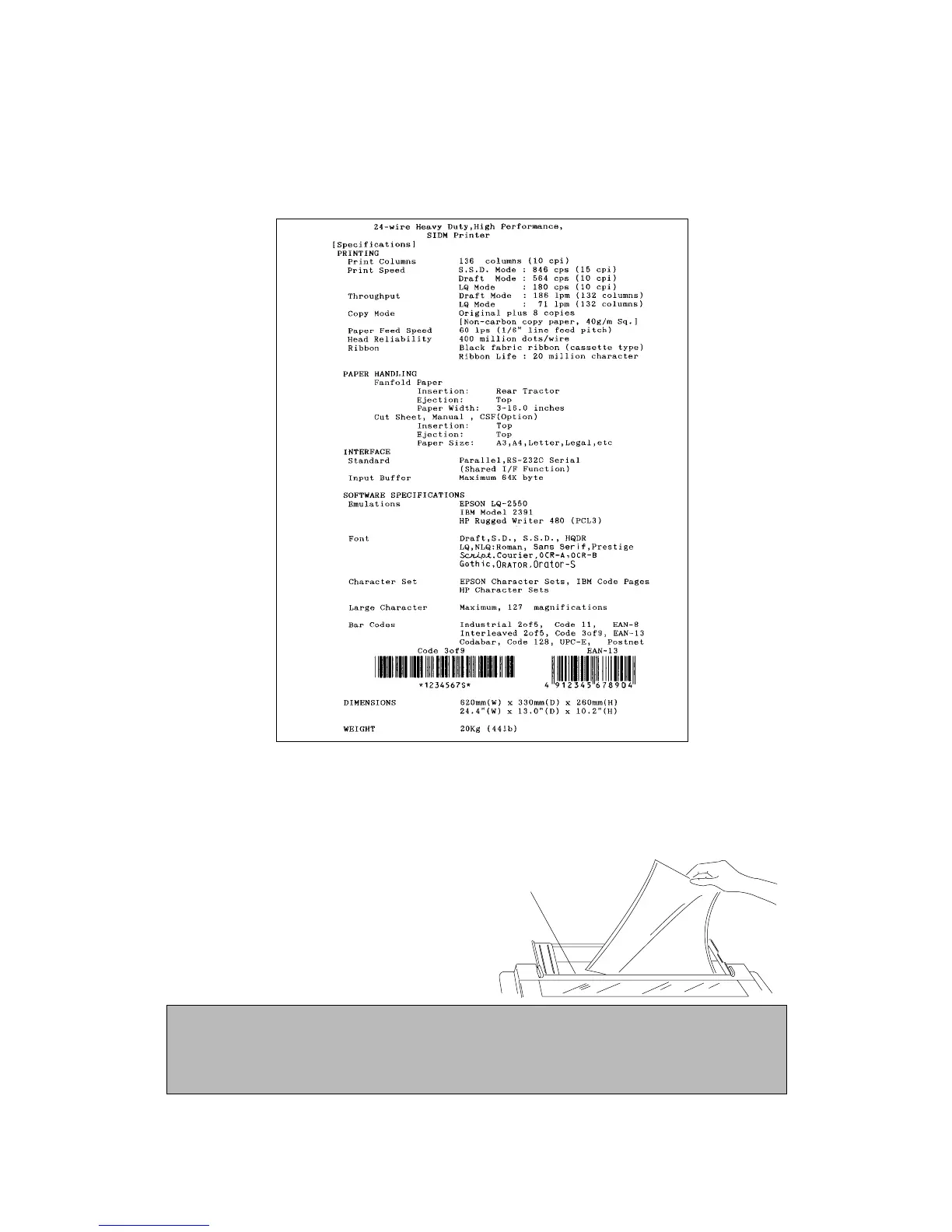
Demonstration print-out
To see what this printer can do, you may run this demonstration print-out (Letter or A4 paper
size) for checking the printer's performance. Press and hold the RLF and the M.RLF keys
while turning on the printer's power.
Tearing off a form
(Used only with fanfold continuous paper)
This function is activated by the TEAR OFF key and feeds fanfold paper so that the
perforation is aligned with the paper cutter located at the top rear of the printer, thus enabling
simple paper tearing. During the tear off
operation, the M.LF, and M.RLF keys are
used to correctly align the paper to the paper
cutter.
After tearing off the form, pressing the
TEAR OFF key a second time reversely
feeds the paper to the top of the next
available form.
Paper Cutter
Note
Pressing the TEAR OFF key (or the ONLINE key) the second time may return the paper to
the original print position when the top edge of the form does not pass above the paper
location prior to the first TEAR OFF operation.
22
3. Control panel and operations
Prepared by :: songsaluang(at)PTC
PROFESSIONAL HI - TECH CARD CO.,LTD. Tel 0-2906-5300 Fax 0-2906-5301 Email info@procard.co.th Website www.procard.co.th


 To Next Page